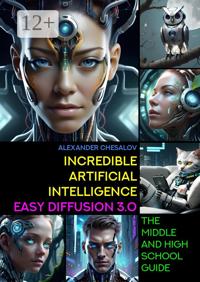
Читать книгу: «Incredible artificial intelligence Easy Diffusion 3.0. The Middle and High School Guide»
Illustrator Vsevolod Chesalov
Illustrator Diana Chesalova
Cover designer Alexander Chesalov
Illustrator Chesalov Alexander
© Alexander Chesalov, 2026
© Vsevolod Chesalov, illustrations, 2026
© Diana Chesalova, illustrations, 2026
© Alexander Chesalov, cover design, 2026
© Chesalov Alexander, illustrations, 2026
ISBN 978-5-0062-7082-4
Created with Ridero smart publishing system
Gratitude
I thank all the people who are involved in the development of the Easy Diffusion generative artificial intelligence system. Your work helps people understand how artificial intelligence works, as well as discover new creative abilities in themselves.
Introduction
The wonderful world of Artificial Intelligence can be fully revealed to us only when you and I can see the positive results of its work, especially those created with our direct participation. These results must be understandable and explainable to everyone, and they must also be ethical, unbiased and not violate the law.
Today, Artificial Intelligence can do a lot, for example: write the text of a new poem or even a whole story, reproduce it in different voices of famous actors or musicians, analyze a large amount of numerical data and make a forecast for the future, play computer games with us or with a thousand people at once games. Perhaps the most impressive thing, in my opinion, that Artificial Intelligence can do today is create unique and incredible images. These images can be the embodiment of a three-dimensional world of a fantastic future in a computer game or be a virtual simulation of the world around us. The images can be three-dimensional or two-dimensional, and can also be made in various painting styles by famous artists from different time periods. But the most interesting thing is that these images may contain creatures or objects that do not exist in our world.
In this book, you will acquire new knowledge about how diverse Artificial Intelligence can be, and you will become familiar with its most popular terms and definitions. You will learn what is “artificial superintelligence”, “narrow Artificial Intelligence”, “friendly Artificial Intelligence”, “human-centered Artificial Intelligence”, “distributed Artificial Intelligence”, “trusted Artificial Intelligence”, “composite Artificial Intelligence”, “explainable” Artificial Intelligence” and much more.
I will tell you how you can transform and visualize the knowledge you have acquired using an Artificial Intelligence system, turning the text definitions of various terms from this book into fantastic drawings.
In order to bring all this to life, we will study the work of a free program — the Easy Diffusion generative Artificial Intelligence system. This program creates photorealistic images from text queries and graphic images.
Easy Diffusion is an easy-to-install assembly (distribution) of the Stable Diffusion Artificial Intelligence system. Easy Diffusion will allow us to create unique images based on the most popular neural network models today, such as Stable Diffusion, Midjourney, OpenJourney, DreamShaper, SDXL Yamer’s Realism!, ProtoVision XL, Art Universe, Realistic Vision and many others.
With the help of this book, you will learn not only how to use Easy Diffusion Artificial Intelligence as a creative tool, but you will also be able to independently install, configure and uninstall this program on your computer, connect various additional modules to it, which will significantly expand its capabilities for creating and processing images.
With the help of Artificial Intelligence, you will learn to create unique and inimitable images that you can use in your studies or for entertainment.
In order to be objective in my work and make the book as accessible as possible to a wide range of readers, I asked my son Vsevolod (5th grade student) and my daughter Diana (8th grade student) to help me work on the textbook and create various images that reflect the essence of the definitions of Artificial Intelligence presented in the book. It was interesting for me to involve them in a new activity for them, and it was also very important to understand for myself how quickly they would learn to work with the Easy Diffusion Artificial Intelligence system and be able to create their own high-quality images.
It turned out that fifteen minutes of instruction was enough to begin their first acquaintance with Easy Diffusion Artificial Intelligence and become familiar with the work of the Realistic Vision model. Their first image was a steampunk style hamster. Steampunk is a science fiction movement incorporating technology and arts and crafts inspired by technology and 19th century science fiction1. Nevertheless, they gained more or less serious experience working with Easy Diffusion after some time.
It took us more than six weeks of work to fill this book with illustrations. From more than five hundred drawings, we have selected for you the most, in our opinion, impressive and interesting. The total computer time we spent working with the Easy Diffusion Artificial Intelligence is approximately three hundred and sixty hours. What can we say about the fact that writing the book itself, correcting and editing the text, as well as selecting the necessary pictures required a lot of time and effort.
Almost six months have passed since the first edition of this book was published. During this time, more than seventeen thousand readers became acquainted with the first edition of this book. Since then, the version of the Easy Diffusion program has also changed.
This book is written as a textbook for middle and high school students. It contains detailed instructions for working with the Easy Diffusion 3.0 Artificial Intelligence system, which allows you to transform the text you write or your image into a new unique image. It also contains educational information about existing types of Artificial Intelligence. The book features a beautiful set of over one hundred illustrations demonstrating the AI capabilities of Easy Diffusion 3.0.
We really hope that our positive and positive experience that we received in the process of studying the Easy Diffusion Artificial Intelligence system will be useful to you in your studies and creativity.
Enjoy your reading and productive work!
Artificial intelligence Easy Diffusion: first steps
Step 1. Most popular programs
Today, there are quite a large number of different programs that, based on Artificial Intelligence technologies, create incredibly beautiful images.
In my opinion, the following programs are the most popular:
— Midjourney is a very popular Artificial Intelligence system created by the company of the same name, Midjourney. Artificial Intelligence Midjourney is a web service on the Internet that allows you to create very beautiful images without using the computing resources of your computer. To use it, you must have Discord installed — a convenient messenger for group work, which is often used by players around the world. The main drawback of the program is that not so long ago Midjourney became completely paid.
Program website:
https://www.midjourney.com
— Leonardo.Ai is a colorful web service on the Internet that provides access to the Leonardo.Ai neural network of the same name. With it, you can create images from text and other images. The advantages of Leonardo.Ai include an easy-to-use interface. The disadvantage is the limitation on the number of images created per day. Images are created very quickly and with high quality, but it will take a lot of time until you learn how to make something high-quality. If you want to spend more time working with this program, be prepared to pay for its services. Very often Leonardo.Ai is compared to Midjourney, but which one is better is up to you to decide.
Program website:
https://leonardo.ai
— Dreamstudio.ai is a web service created by Stability AI, which has developed one of the most famous neural networks or, as they say, “models” called Stable Diffusion. The web service is very convenient and allows you to create any images very quickly. This is because Dreamstudio.ai uses very powerful computers provided by Stability AI. In other words, your computer is not involved in the process of creating images, which is a significant advantage of the program. At the same time, the disadvantage of using Dreamstudio.ai is the limitation on the number of images created.
Program website:
https://beta.dreamstudio.ai/dream
— Stable Diffusion Web UI is a web-based program that you can install directly on your computer. Its advantages include the fact that it is a completely free option for using the Stable Diffusion model. The program allows you to choose flexible settings to improve the quality of the image and convert it to a new version or create another image based on it. Disadvantages include some difficulties associated with installation and the need for you to have additional knowledge of the programs necessary for its operation (for example, such as Python and Git). Stable Diffusion can be recommended to all those users who have already gained extensive experience with Easy Diffusion.
Program websites:
https://github.com/AUTOMATIC1111/Stable-diffusion-webui
https://www.python.org/downloads/windows/
https://git-scm.com/download/win
https://Stablediffusionweb.com/#demo
— Stablecog is a very easy to use, but at the same time very interesting web service. Unfortunately, it’s paid. However, you can create twenty free images per day. I liked it because out of ten models you can choose two created by our compatriots. These models are called Kandinsky and Kandinsky 2.2. In addition, you can increase the resolution of the created image four times (for example, from 1248x832 to 4992x3328).
Program website:
https://stablecog.com/generate
— Easy Diffusion is a completely free Artificial Intelligence system that combines the capabilities of using Midjourney and Stable Diffusion. Easy Diffusion offers you a convenient and simple web interface that allows you not only to create very beautiful images, but also to connect various additional modules and models to its work. By default, the program already has the well-known Stable Diffusion model preinstalled. Additionally, you can download many other models from www.civitai.com, including the “Openjourney” model, which will allow you to replace the use of Midjourney. Another advantage of the program is that it is very easy to install on a computer or laptop and works with not very powerful video cards. The only drawback of the program is the time it takes you to create images. For example, if an image in “Dreamstudio.ai” is created in 20 seconds, then in Easy Diffusion it can take up to 120 seconds to create.
Once again, I would like to draw your attention to the fact that Easy Diffusion is an easy-to-install assembly of software packages (or, in other words, a distribution kit) of the Stable Diffusion Artificial Intelligence system for various operating systems. Here and further, I will not talk about Stable Diffusion, but rather Easy Diffusion due to the fact that it is with this distribution and program that we will work.
Program website (program distribution):
https://github.com/easydiffusion/easydiffusion
Step 2. Install Easy Diffusion
In order for us to install the Easy Diffusion program, follow the following link and download the required distribution for your operating system (MS Windows, Linux or MacOS):
https://github.com/easydiffusion/easydiffusion

There are three distributions on the program page:
• For MS Windows operating system.
• For the Linux operating system.
• For the MacOS operating system.
Before installing the program, please pay attention to the minimum requirements for your computer. You must have:
— Video card from NVIDIA with 2 GB of RAM (better with 4 GB). A laptop video card will do, but keep in mind that you must have the latest drivers installed not only for the video card, but also for all components of the MS Windows system.
— The minimum amount of computer RAM is 8 Gigabytes.
— The minimum amount of disk space (either on the “C:\” drive or on any other drive) is 40 Gigabytes (25 for Easy Diffusion and 15 for models). I recommend installing the program on a computer flash drive (not an external drive, but an internal drive of a computer or laptop). It will make image creation faster.
Next, we will consider installing Easy Diffusion on a computer with the MS Windows operating system.
Before installing, you need to make sure that everything is in order on your MS Windows system. To do this, you need to right-click on the “My Computer” icon and select the “Manage” command from the context menu. The Computer Management program will open, and in the Device Manager section you will see not only all the devices on your computer, but also their operating status. If there is a malfunction of any of the devices, you need to install new drivers for this device. You can find them on the Internet.

Next, download the Easy-Diffusion-Windows program.
After downloading the file named Easy-Diffusion-Windows, launch the installation and click the “Next” button:

We agree to the license agreement and click the “I Agree” button:

Click the “I Agree” button again:

Select the disk on which the program will be installed. The main recommendation is that the program should be located in the root of the disk, that is, it should be installed on the disk, but not inside other folders, but only in its own.
For example, on the drive C:\EasyDiffusion\, as shown in the image below:

Or on drive D:\EasyDiffusion\, as shown in the image below:

Select the disk you need and click the “Install” button.
The process of installing and unpacking the files on your computer has begun:

The installation process takes some time.
During this process, the program will install all the necessary files and models for work, including installing the Stable Diffusion model (version 1.5), with which you will create your first works of computer art:

The program will install other auxiliary models (for example, GFPGAN model, Real-ESRGAN model, etc.), which are used by Easy Diffusion to improve the images you create.

At the end of the process, a CLIP model will be established, which allows you to determine how well the generated image matches the query you wrote.

After installation is complete, the following window will appear:

But don’t rush to click the “Finish” button.
Be sure to check the “Create Desktop Shortcut” box and uncheck the “Run Easy Diffusion 3.0” box.

And only now click the “Finish” button.
After completing all the steps, the program will be completely installed on your computer.
Why didn’t we launch the program immediately after installation?
All this is necessary because before we start working with the Easy Diffusion generative Artificial Intelligence system, we need to download and install a few more additional model files that will allow us to create incredibly beautiful images.
What is a model?
A model is a file containing a set of parameters of a trained neural network. The file size can be small or it can be several GB in size. It depends on what a particular model is created and used for.
Each model is trained on a large number of thematic images. A set of images or data is called a “dataset”.
There are a large number of different models for creating photorealistic images in various artistic styles. Some models work better for creating anime images, while others work better for imitating famous artists.
To continue working, we need to follow the following links and download the latest versions of the model files with which we will work:
— Realistic Vision версия 5.1
(https://civitai.com/models/4201/realistic-vision-v51);
— DreamShaper версия 8.0
(https://civitai.com/models/4384/dreamshaper);
— Color Fusion версия 1.0
(https://civitai.com/models/20617/color-fusion);
— Midjourney версия 4.0
(https://huggingface.co/prompthero/openjourney/blob/main/mdjrny-v4.ckpt);
— Openjourney версия 4.0 (модель обучена на рисунках Midjourney)
(https://civitai.com/models/86?modelVersionId=27392);
— SDXL Yamer’s Realism! 2.0
(https://civitai.com/models/136669/sdxl-yamers-realism-realisticanime3d).
For example, we need to download the Realistic Vision model file version 5.1.
Follow the link above to the page where there is a model file:
https://civitai.com/models/4201/realistic-vision-v51

Then we find the file of the latest version of the model for downloading:

And download the file by clicking the “Download” button:

The realisticVisionV51_v51VAE.safetensors file, 1.9 GB in size, will be downloaded to your computer.
If you do not have an electronic version of the book, you can enter the names of the model files in any search engine and find them on the Internet. For example, upon request “download model Realistic Vision” you will be offered a list of sites for downloading, including the site civitai.com, from which I downloaded most of the files I needed.
After you download all or most of the models offered to you for download, you need to transfer all the files (using the “cut” and “put” commands) to a folder along one of the paths: “C:\EasyDiffusion\models\Stable-diffusion” or “D:\EasyDiffusion\models\Stable-diffusion”, depending on where you installed your program.
For this:
— Open the folder on the disk where Easy Diffusion is installed (for example, “C:\EasyDiffusion\” or “D:\EasyDiffusion\”).
— Then find and open the “models” folder.
— In it you will see a folder called “Stable-diffusion”. Open it and transfer the model files you downloaded into it.
Congratulations!
You have become the proud owner of your own Easy Diffusion Artificial Intelligence system, installed on your personal computer and supplemented with new models.
Now we can proceed to the first launch.
Step 3. Launch Easy Diffusion for the first time
If immediately after installing the program you selected the “Run Easy Diffusion 3.0” command, as shown in the figure below:

A black window will appear in front of you with running lines of incomprehensible text:

You shouldn’t be afraid of this window, since this is the window where the application itself works, or, more precisely, its server part. This window will always appear when the program starts working. There is no need to close it until you decide to finish your work. Just roll it up.
You need to wait a minute or two (depending on the performance (power) of your computer), after which another window will open in the Internet browser (installed by default). This will be the same Easy Diffusion user interface (or it can also be called the client application of the program), with which we will work throughout the entire time.

Easy Diffusion’s interface is dark, but that’s fixable. In the next chapter we will learn how to make our work more comfortable using program settings.
Thus, when we first launched the program, two windows opened: a window for the server part of the program and a window for the interface.
But don’t rush to get started.
I would recommend that you close both windows and start the program again. This is primarily due to the fact that when you restart the Easy Diffusion program will automatically check for updates, download and install all the necessary new files on its own.

Wait a little longer and your default Internet browser will open again.
After which we can begin with you the next step of work — setting up comfortable and stable operation of Easy Diffusion.
Step 4. Setting up Easy Diffusion
Setting up Easy Diffusion is actually very simple.
By default, the program has options that provide a high level of comfortable work and do not require any changes. However, there are a few that require our attention.
The figure below shows the user interface of the program:

So, let’s get started.
Easy Diffusion has only five main application work window tabs, which are placed one after the other at the top of the user interface work area:
— “Generate”.
— “Settings”.
— “Help & Community”.
— “Models tools”.
— “What’s new.”
All our work will take place in the main “Generate” window, which we will devote most of our time to in the next chapter.
In this chapter you will look at the contents of the following bookmarks:
— “Settings”.
— “Help & Community”.
— “Models tools”.
— “What’s new”.
“Settings”
To get started, we first need the Settings window.
For your convenience, I will use the “Light” theme of the program:

The Settings window provides the following options:
— “Theme”. Allows you to change the current theme to the one you like. I’m using the “Light” theme.
— “Auto-Save Images”. Let’s activate the option. It allows us to save all our images and descriptions for them in a folder we specify.
— “Save Location”. Leave the default value or change it to the path where our files will be stored. For example, C:\EasyDiffusion\models\Stable Diffusion UI.
— “Metadata format”. We change to “txt” — the text data format in which our requests will be stored. They can be read using any text editor.
— “Block NSFW images.” Let’s activate the option. Prohibits working with photos of certain categories.
— “Enable Sound”. Let’s activate the option. We will always receive a sound notification that our image is ready.
— “Process newest jobs first.” Determines the order in which images are processed. By default, jobs are processed in order. We don’t change.
— “Extract LoRA tags from the prompt.” LoRA stands for Low-rank adaptation and is translated as “Low-rank adaptation”. LoRA speeds up the process of training models. We do not change the parameter.
— “Open browser on startup.” The option is responsible for launching the Internet browser after the server part has started. We don’t change.
— “GPU Memory Usage”. The option transfers all program work from the video card to the central processor. If you select “High”, the program may run very slowly or stop working altogether. We need to select “Law”.
If your video card is not NVIDIA GeForce RTX, then set it to “Low”.
— “Use CPU (not GPU).” The option shifts all the work of the program not to the video card, but to the central processor. If you select a central processor, the program can run very, very slowly. We don’t change.
— “Auto-Save Settings”. Click the “Configure” button. All options must be selected:

To do this, change the “Enter Prompt” value.
And close the window.
— “Confirm dangerous actions.” The option is responsible for the security of the application and must be active.
— “Profile Name”. Leave the default value “default”.
— “Beta channel”. The option provides access to not yet very tested and unstable functions that may appear in the next version of the application. We don’t change.
— “Use the new v3 engine (diffusers).” A very important function for us, which in the left panel of Text-to-image AI software increases the list of parameters for customizing the created image. Let’s activate the option.
After you have made the changes, click the “Save” button to save all the changes made.
Below are a few more options that you do not need to change:

Three options control the network settings of your Easy Diffusion application. We don’t change them.
Please note that under the settings there is system information that allows us to see the data of the CPU and video card we are using.
My computer details are:
— Intel64 Family 6 Model 60 Stepping 3, GenuineIntel.
— NVIDIA GeForce GTX 980 (cuda:0) (3.5Gb free / 4.3 Gb total).
My laptop details:
— Intel64 Family 6 Model 158 Stepping 10, GenuineIntel.
— GeForce GTX 1650 (cuda:0) (2.2Gb free / 4.3 Gb total).
And below is the address where we can access our server. In order to open the Easy Diffusion user interface in the Internet browser, write: localhost:9000/ or 127.0.0.1:9000/. After which the program’s working window will open.
“Help & Community”
Following the Settings window is the Help & Community window.

In this window, by clicking on one of the links, you can independently study additional information about working with the Easy Diffusion program, as well as learn about installing additional models and modules (plugins).
You can also join the system user community.
From the latest link “Source code on GitHub” you can download the Easy Diffusion source codes from GitHub.
“Models tools” / “Text-to-image AI model software”
Behind the “Help & Community” window is the “Models tools” window, which has two tabs:
— “LoRA Keywords”.
— “Merge models”.
In the LoRA Keywords window, you can create sets of keywords for yourself to speed up the image creation process. We will dwell on this option in more detail as we work.
Using the “Merge models” window, you can combine different models with each other. For example, those that we downloaded after installation from the Internet.
If you like a couple of models that you work with most often, you can combine them into one model and give it your name. But there is one small limitation: the models must be of the same type.

From my experience I will say that there is no particular need to combine models. But, if you use two dozen different models, you may need this functionality of the Easy Diffusion application to combine according to the desired topics or styles.
“What’s new”
Following the “Models tools” window is the “What’s now” window. This window provides a list of all updates and changes that have been made to the current and previous versions of the Easy Diffusion application.
It will also be useful for us to know that our Easy Diffusion 3.0 program is 40% faster than Easy Diffusion v2.5, which has a serious impact on the speed of creating our images.

Step 5. Let’s get started
As we have already seen, the Easy Diffusion Artificial Intelligence system is a fairly simple program both to install and configure.
Once again, I would like to draw your attention to the fact that the main purpose of Easy Diffusion is to create a new unique image from a text description or from a combination of text and image based on the most popular neural network models today (which we downloaded and installed earlier).
In order for us to create our first image, we launch the program and go to its work area (the “Generate” window):

In the “Generate” window on the left you will see a toolbar that allows you to enter a text description and define all the necessary parameters for the new image you are creating:

For our first image, we will only add a description and select a model to base this image on. We will not change any parameters now.
Please also note that above the Toolbar there are three additional buttons that allow us to add a description from a text or structured file, as well as use additional image modifiers:
— “Load from a file”. This button allows you to load text describing a previously created image from a text file or a JSON file. It is very useful when you are working with a large number of images. Previously, in the Settings window, we enabled the “Auto-Save Images” option and defined the “Metadata format” as the text “txt”. This way our system saves all your images and descriptions in text format automatically.
• “Embedding”. Configured through the “Models tools” tab of the application’s working window.
• “Image Modifiers” / “Image modifiers”. A very useful button, especially at first, when you have not yet learned how to compose complex descriptions of new images. In the modifiers you can choose several different filters for your images:

Below the buttons there are two windows:
— “Enter Prompt”. This is the main window, which is intended to contain a text description (we will call it briefly a “query”) of the image that we want to create. We will work with him throughout our reading of the book.
• “Negative Prompt”. This is an additional window in which everything that should not be displayed in the created picture is described in short phrases.

Below the request windows there are two buttons, united by one heading “Initial Image (img2img)”:
— “Browse”. This button allows us to add our image, which the Easy Diffusion system uses to create a new image similar in design style and presentation form from it and the request we wrote.
— “Draw”. The button opens the image editing window. In this window we can edit the image we added as a source. For example, clear the background of an image.

Below is the “Make image” button, which is very important for us, with which we will start the process of creating our new unique images.

Under the “Make image” button there is a large list of parameters for the image we want to create.

Let’s take a closer look at all the “Image Settings” functions:
— “Seed”. This is the starting number of the random number generator that is used to create a unique image. By default, the program itself creates a unique number. If we know the Seed and other things being equal, we can create the same picture again. We do not change this option and leave it as it is.
— “Number of Images”. This option determines the number of images that are created after clicking the “Make image” button. We leave the default value (equal to “1”). If you change the number, it will affect the overall performance of the system. We do not change this option and leave it as it is.
— “Model”. This window displays a list of models that we downloaded for you earlier. Models are used to create unique images. We will look at their work later in this and subsequent chapters.
— “Clip Skip”. This option allows the system to more accurately analyze and interpret our request. When the option is disabled, then the new image created matches our request as closely as possible. We do not change this option and leave it disabled.
— “ControlNet Image”. This is a new and very interesting option of the Easy Diffusion Artificial Intelligence system version 3.0. With ControlNet, you and I can not only create a unique image, but we can also make it look like a celebrity. ControlNet will be covered in more detail in a separate chapter.
— “Custom VAE”. This option allows us to use a special autoencoder, which helps speed up the creation process and improve image quality. The Easy Diffusion manual suggests downloading and using the file vae-ft-mse-840000-ema-pruned.ckpt. I must say that it worked great with Easy Diffusion 2.5, but does not work correctly with our version of Easy Diffusion version 3.0. We do not change this option and leave it disabled.
— “Sampler”. These are auxiliary Text-to-image AI software for improving the created image. The interesting thing is that some samplers are suitable for certain types of images, while other samplers are suitable for other types of images. You will have to determine which one is better during your work.
— “Image Size”. This option allows you to set the size of the resulting image. I highly recommend that you use the 512x512 size. After you select the one you like from the many images you have created, you can use the “Upscale” / “Scale” command to enlarge the image to a size of 2048x2048 and download it to your computer.
— “Inference Steps”. The picture we create at the first stage consists of so-called random noise. The program, analyzing our request, reduces this noise step by step and gives us the final version of the image. This option determines the number of steps after which we obtain a sufficiently detailed image. You can try changing it by setting a value in the range from 25 to 50. Increasing the value affects system performance. The optimal ratio of speed and quality of Easy Diffusion is achieved at a value of 25.
— “Guidance Scale”. This option allows us to tell Easy Diffusion to analyze our request more closely so that the final image it produces more accurately matches its description. The optimal value is 7.5. The higher the value, the less creativity Easy Diffusion has.
— “LoRA” (Low-rank adaptation). LoRA models are used to fine-tune and speed up the large models that we previously downloaded and installed and will use to create our images. There are various LoRA models that are suitable for enhancing some part of the image (for example, eyes) or style (for example, anime). By default, they are not installed on the system. You can download them from the website civitai.com by typing “LoRA” in its search bar. We do not change this option and leave it disabled (empty). However, I recommend that after training, you go to civitai.com and download the models that suit you for further experiments.
— Seamless Tiling. This option allows you to make a double image seamlessly stitched together from one of your images, that is, make a panoramic image. We do not change this option and leave it disabled (empty).
— “Output Format”. This option specifies the final image format. You can choose three: jpeg, png and webp. I recommend leaving jpeg.
— “Image Quality”. The default value is 75. If you want a higher quality image but need to wait a little longer to create it, set the value to 95.
We will look at the “Render Settings” functions later in the exercise. For now we leave them unchanged.
Let’s start creating our first image.
In order to create our first image from text, in the “Enter Prompt” window we need to write our first text request (“Prompt”).

Let’s do the following:
— In the “Enter Prompt” window, write the following request: “Artificial Intelligence that will change the world, beautiful cyborg face.” Please note that Easy Diffusion only understands queries in English. If you are not very good at it, please use any online translator available to you.
— In the “Image Settings” section, select the “sdxlYamersRealism_version2” algorithm.
— Image Size: 512 x 512.

Leave all other parameters unchanged and click the “Make image” button.
If you open the application backend window, you will see how the Easy Diffusion system works:

Easy Diffusion may need to download additional files to create our image. After which, after a few minutes, she will begin to create a new image based on our request.
Switch to the Easy Diffusion graphical interface window.
Hooray!
You have created your first unique image using an Artificial Intelligence system. It’s located to the right of the Toolbar in the workspace of the user interface:

If you don’t get the same picture as me, don’t be alarmed and try to create it again (I didn’t succeed the first time either). Very often in Easy Diffusion you can get the desired image the second, third or fifth time. This is a feature of the program. This often happens with simple queries, as in our example. We’ll look at complex queries in the next chapter.
Our next step will be to explore the enhancement and manipulation options that most often need to be done after we create any image. To do this, hover your mouse over the new image and you will see the following commands:
— “Upscale”. If you like the new image and feel there is no need to improve it further, run the Upscale command. After which the image will be enlarged to a maximum resolution of 2040 x 2048 and you can save it on your computer.
— “Fix faces”. The team corrects faces in images. Most often, fingers and facial details are affected in images.
— “Draw another 25 steps.” If you think the image needs to be improved, run the “Draw another 25 steps” command. It often happens that there will be more details in the picture and its quality will become better. It also happens that no significant changes are noticeable. This requires patience and perseverance.
— “Make Similar Images.” With this command we tell the system to make five more similar versions of the images and the first received version.
— “Download Image”. The command saves your image in the location you want.
— “JSON”. The command saves the description and all parameters of the image you created in a marked file. You can load it the next time you want to create a similar image by clicking the “Load from a file” button.
— “Use as Input”. This is a very useful command that allows you to improve the image from time to time. When using it, the Artificial Intelligence system takes as a basis not only our request, but also your image, on the basis of which a new image is created. We will look at the work of this command in more detail in the next chapter.
Now let’s take another 25 steps to improve our image by running the command “Draw another 25 steps”:

As a result, we will get a similar image, but with some changes:

Now let’s go back to our first image of “Artificial Intelligence” below.
Hover your mouse over the image and select the “Make Similar Image” command. This command will allow us to create five more new image variations from the original one.

Five new options will be placed in one program window (for clarity, I left four):

You can use this function an unlimited number of times until you get the perfect image. This is exactly what I did when choosing pictures for the book cover.
Once you select the perfect one, you can delete all other images. Hover your mouse over the image you want to delete and click the cross in the back right corner:

As a result, only those images that you need for further processing will remain in the window.
As I noted earlier, all the models that we additionally installed in Easy Diffusion, without exception, have one significant drawback — they do not draw eyes or fingers well, and very often various strange artifacts appear in the pictures. To correct the eyes, in the image we like, we need to move the mouse over the picture again and execute the “Fix Faces” command:

As an example, I’ll leave one AI face and run the Fix Faces command on that image.
It is necessary to make a small remark and clarify that the “Fix Faces” command quite often does not improve the image, and sometimes spoils it. However, it’s always worth trying out what might come out of your experiments. Be bolder and experiment more often.
In my case, the faces turned out a little blurry or blurry:

The final result (which we like best) needs to be converted to a higher resolution and saved on our hard drive in order to later use it for further work. To do this, execute the “Upscale” command by hovering the mouse cursor over the picture.

After this, execute the “Download Image” command. The downloaded image will have a resolution of 2040 x 2048 pixels per inch. This is quite enough to design a book cover or make a beautiful postcard.

Congratulations!
You’ve just created your first unique image using the Easy Diffusion Artificial Intelligence system, which can easily be called a small piece of digital art.

In subsequent chapters of the book, we will learn a lot about Artificial Intelligence and increase our level of knowledge when working with the Easy Diffusion program.
Step 6. Create a beautiful image
In this chapter, we will look at the most interesting option for working with the Easy Diffusion system — creating a new image from a combination of text and another image. We will also pay special attention to writing a more complex query.
Please note that in the “Enter Prompt” window we are not writing a literary description of the picture we want to receive, but we are writing a short request:

The Artificial Intelligence we work with, unfortunately, does not yet read our thoughts, and it is important for it that we speak to it in a language it understands. The only thing that can be considered a great achievement for developers is that the query is written as a set of key phrases (consisting of words that are easy for both humans and machines to understand), separated by a comma.
So, let’s begin.
Let’s look at a specific example.
We will create with you in a few steps an image of a beautiful cyborg based on the description from the previous chapter.
To do this, perform the following steps:
• In the “Enter Prompt” window, write the following phrase: “Artificial Intelligence that will change the world, beautiful cyborg face.”
• “Model”: “sdxlYamersRealism_version2”.
• “Sampler”: “Euler Ancestral”.
• Image Size: 512 x 512.
Leave all other parameters unchanged and click the “Make image” button.

Let’s add a small clarification about the color of our cyborg’s eyes in the “Enter Prompt” window: “Artificial Intelligence that will change the world, beautiful cyborg face, green eyes”, and also give the Easy Diffusion command to use our first image as the source (parent image) to create a new (child image): “Use as Input”.

Leave all other parameters unchanged and click the “Make image” button.
As a result, we will get an image similar to the previous one, but the color of the cyborg’s eyes will be green:

Please note that Easy Diffusion processes your request from left to right in the order of phrases separated by commas.
The main magic of Artificial Intelligence is that even if you did everything the same way as I did, in most cases you will get either a completely different picture or a very similar one, even if you click on the “Make image” button many times.
This is due to the fact that the Easy Diffusion system will each time interpret the phrase “Artificial Intelligence that will change the world, beautiful cyborg face, green eyes” as it wants due to the fact that our key phrase is very simple and general in nature, and also requires additional clarification.
Let’s take it one step further.
In the “Enter Prompt” window, we’ll add one more small clarification about the hair color of our cyborg: “Artificial Intelligence that will change the world, beautiful cyborg face, green eyes, blue hair,” and also give the Easy Diffusion command to use our second image as the source (parent) to create a new one (child): “Use as Input”.

Leave all other parameters unchanged and click the “Make image” button.
As a result, we will get an image similar to the previous one, but the color of the cyborg’s hair will change and will be blue:

Easy Diffusion has an interesting feature that allows us to strengthen certain phrases in our queries so that the program pays special attention to them when creating a new image.
The order in which a request is processed can be determined using round”()” and/or square brackets”[]”.
For example, we can write the previous request like this: “Artificial Intelligence that will change the world, beautiful cyborg face, [green eyes], (blue hair).”
Or, to enhance the emphasis, we write like this: “Artificial Intelligence that will change the world, beautiful cyborg face, [[green eyes]], ((blue hair))”, where:
— (phrase in parentheses alone) — increase the emphasis on the phrase by 10%;
— ((phrase in two parentheses)) — increase the emphasis on the phrase by 20%;
— [phrase in square brackets] — reduce the emphasis on the phrase by 10%;
— [[phrase in two square brackets]] — reduce the emphasis on the phrase by 20%, etc.
Experience has shown that using parentheses works better than numeric priorities. I recommend that you use parentheses”()” to strengthen or square brackets”[]” to weaken the meaning of phrases in your queries.
Thus, in just four steps we created a cyborg with green eyes and blue hair, very similar to an ordinary person:

Summarize.
The algorithm of our actions was as follows:
— Step 1. Create the first image from the text “Artificial Intelligence that will change the world, beautiful cyborg face.” After the first picture (or maybe the second or third, but the one you really like) is created, we use the “Use as Input” command to tell the Artificial Intelligence: “take this as the main one, because that I really like her.”
— Step 2. Create a second image from the text “Artificial Intelligence that will change the world, beautiful cyborg face, green eyes.” We use the “Use as Input” command again on the second picture to tell the Artificial Intelligence: “take the second picture as the main one, because I really like it.”
— Step 3. I create the third image from the text “Artificial Intelligence that will change the world, beautiful cyborg face, green eyes, blue hair.” Let’s use the “Use as Input” command again in the third picture.
— Step 4. Create the fourth image from the text “Artificial Intelligence that will change the world, beautiful cyborg face, [[green eyes]], ((blue hair))”.
We get the final result:

The sequence of these actions gives us an exact idea of the main methods that need to be used to create a beautiful image in Easy Diffusion from a combination of text and image.
To make an image even more “beautiful” Easy Diffusion users often use a set of the following key phrases after those that reflect the main essence of the image being created:
— highly detailed,
— trending on artstation,
— soft light,
— photorealistic,
— perfect composition,
— cinematic shot,
— intricate details,
— hyper detail,
— cinematic.
In our case, the request would look like this: “Artificial Intelligence that will change the world, beautiful cyborg face, [[green eyes]], ((blue hair)), highly detailed, trending on artstation, soft light, photorealistic, perfect composition, cinematic shot, intricate details, hyper detail, cinematic.”
To the key phrases responsible for the “beauty” of an image, you can add the names of famous artists (for example, Picasso) or the names of sites (for example, unsplash), which store pictures of thousands of users. So, our updated query would look like this: “Artificial Intelligence that will change the world, beautiful cyborg face, [[green eyes]], ((blue hair)), Picasso, unsplash, soft light, photorealistic, perfect composition, cinematic shot, intricate details, hyper detail, cinematic.”
Don’t forget about emotions. The word “smile” will not be superfluous.
Updated query: “Artificial Intelligence that will change the world, beautiful smiling cyborg face, [[green eyes]], ((blue hair)), highly detailed, trending on artstation, soft light, photorealistic, perfect composition, cinematic shot, intricate details, hyper detail, cinematic.”

Also don’t forget that you can use the “Image Modifiers” button, which is located at the top of the Toolbar:

If you like experiments, then add the words “cyberpunk” or “steampunk” to the list of phrases, and you will get something unimaginable, as it happened to me:

We also must not forget that in addition to the main request, we can also write a “Negative Prompt”, which is necessary in order to exclude from the created image what we do not need:

For example, the phrases “dark background, black background” will exclude dark and black backgrounds from the new image.

To expand your knowledge of writing valid and/or complex queries, I recommend that you look at the image album that accompanies this book. You can also find and study additional information on writing queries on the Internet. For example, find groups with the names Stable Diffusion or MidJorney in instant messengers or social networks. In these groups, users post their requests, as well as the images they were able to create using these requests. Pay special attention to syntax. In different Artificial Intelligence systems, key phrases are separated by different symbols. In Easy Diffusion we write phrases separated by commas.
Step 7. Which model to choose?
Which model should you choose to create the most realistic image?
In fact, this is a very important and difficult question. To find the answer to this, you and I must determine for ourselves what goal we are setting and what image we want to get as a result of our work.
Our main goal in the book is to get acquainted with the work of the Easy Diffusion program and learn how to create beautiful images dedicated to the topic of Artificial Intelligence, consolidating the acquired knowledge with numerous examples that are in each chapter of this book.
All images that appear in this book were created using Easy Diffusion version 2.5 and version 3.0 using the following models:
— Realistic Vision версия 5.1
(https://civitai.com/models/4201?modelVersionId=114367);
(https://civitai.com/models/4201/realistic-vision-v51);
— DreamShaper версия 8.0
(https://civitai.com/models/4384?modelVersionId=109123);
(https://civitai.com/models/4384/dreamshaper);
— Color Fusion версия 1.0
(https://civitai.com/models/20617/color-fusion);
— SDXL Yamer’s Realism! 2.0
(https://civitai.com/models/136669/sdxl-yamers-realism-realisticanime3d);
— Midjourney версия 4.0
(https://huggingface.co/prompthero/openjourney/blob/main/mdjrny-v4.ckpt);
(https://huggingface.co/prompthero/openjourney/blob/main/mdjrny-v4.ckpt);
— Openjourney версия 4.0 (модель обучена на рисунках Midjourney)
(https://civitai.com/models/86?modelVersionId=27392);
— Stable Diffusion версия 1.5
(installs with Easy Diffusion).
Below you can see a comparison of the results of four different models:

There are a large number of sites (information resources) on the Internet where developers post their trained models. I prefer to use the site civitai.com, which has not only models, but also various examples of work, as well as related requests.
Please note that in this book I focus specifically on the topic of Artificial Intelligence. As you’ll notice a little later, most of my queries include the keyword “cyborg.” This is determined primarily by my vision of what Artificial Intelligence should be. My views on this topic were formed a long time ago on the basis of many science fiction novels and stories that I have read in my life. These literary works were written by such outstanding writers as: Stanislav Lem, Boris and Arkady Strugatsky, Isaac Asimov, Vladimir Vasiliev, Sergei Lukyanenko, Harry Harrison, Edmond Hamilton, Robert Sheckley, George Lucas, Andre Norton and many others. In most of them, a robot, an intelligent machine and Artificial Intelligence are, in essence, some kind of single creature from the future, which is most often presented in the form of a person. Therefore, for me, no cyborg can exist without Artificial Intelligence, which replaces the human mind, and that is why in my images you will see many different futuristic humanoid robots.
Working with Easy Diffusion
I suggest you experiment a little and create your own unique images based on just one request, but using different models.
To complete this exercise, you need to download the following models from civitai.com:
— DreamShaper версия 8.0
(https://civitai.com/models/4384/dreamshaper);
— SDXL Yamer’s Realism! версия 2.0
(https://civitai.com/models/136669/sdxl-yamers-realism-realisticanime3d);
— ProtoVision XL
(https://civitai.com/models/125703/protovision-xl-high-fidelity-3d-photorealism-anime-hyperrealism-no-refiner-needed);
— Art Universe
(https://civitai.com/models/123313/art-universe);
— Realistic Vision версия 5.0
(https://civitai.com/models/4201/realistic-vision-v51).
Very often developers change the name or link to the model. Nevertheless, you can always find the model we need on the website civitai.com by typing its name in the search bar.
Now let’s do the following:
— Prompt: “Nouvelle AI, new Artificial Intelligence, cyborg face, an enchanted technological portal from the future, journey into the healing power of nature, photorealistic, perfect composition, cinematic shot, intricate details, hyper detail.”
— As a model, we choose any of those available to you. I will give examples of models that are most relevant to the theme of the book.
— We will leave the remaining Easy Diffusion parameters unchanged.
Please note that if you are using Easy Diffusion 3.0, you must use the latest versions of all models to create images, otherwise Easy Diffusion may throw an error and stop working. To avoid problems with Easy Diffusion, follow one of the links and download the latest version of the model you need. For example, I encountered that the Realistic Vision model version 4.0 works fine in Easy Diffusion version 2.5, but does not work in Diffusion version 3.0.
Click the “Make image” button.
I got the following results for different models, but the same query:

Model DreamShaper версия 7.0

Model DreamShaper версия 8.0

Model SDXL Yamer’s Realism! версия 2.0

Model ProtoVision XL

Model Art Universe

Model Realistic Vision версия 5.0
Please note that if you have Easy Diffusion version 3.0 installed, you must be using the latest versions of all models.
For the exercises presented in all subsequent chapters of this book, also use the most recent versions of the models.
Step 8. Uninstall or reinstall Easy Diffusion
Uninstalling Easy Diffusion is even easier than installing it.
However, before deleting it, save the “Stable Diffusion UI” folder in any convenient location. It stores copies of all your work (images and request files).
The folder is located in one of the following paths:
— C:\EasyDiffusion\profile\Stable Diffusion UI,
— D:\EasyDiffusion\profile\Stable Diffusion UI.
Now you can safely delete the entire folder with the Easy Diffusion program by right-clicking on the folder and selecting the “Delete” command.
If for some reason Easy Diffusion stops working for you, there is nothing to worry about. To solve this problem, you need to take just two simple steps:
• Completely remove the old version of the program, keeping the necessary files. To restart a computer.
• Install a new version of Easy Diffusion by first downloading a new distribution of the program from the website: https://github.com/easydiffusion/easydiffusion.
Detailed instructions are presented in the second chapter of the book.
Sometimes it happens that after updating the version of Easy Diffusion from version 2.5 to version 3.0, images may no longer be created. This can be solved by removing old models and installing new ones. Detailed instructions are also presented in the second chapter of the book.
As we can see, in just eight simple steps we learned how to install, configure and uninstall the program, as well as create beautiful images.
Next, we will take a closer look at the functionality of Easy Diffusion and learn how to create our own digital works of art.
Terms and Definitions of Incredible Artificial Intelligence
Term 1. Artificial Intelligence
Today, scientists, engineers, marketers, programmers and other specialists from different areas of the economy use completely different definitions of the term “Artificial Intelligence”. This is due, first of all, to the fact that Artificial Intelligence is widely used in various types of human activity in various sectors of the economy. For example, Artificial Intelligence is used in education, medicine, public administration, finance, industry, automotive industry, astronautics and many other areas. Each of these areas has its own unique features and specialization of its application.
The very concept of Artificial Intelligence appeared a long time ago. The term was first coined by scientist John McCarthy in 19562,3.
So what is Artificial Intelligence?
Artificial Intelligence (AI) is, first of all, a computer program written by a person (programmer, engineer, scientist or other specialist) that most often imitates the behavior or mental activity of a person or some other living creature living on our planet.
The presence and very existence of Artificial Intelligence is inextricably and closely related to computers, new information, computing and network technologies.
In the case when the operation of Artificial Intelligence requires large computing powers of modern supercomputers and a set of various auxiliary software products, it is spoken of as a combination of technical and technological solutions, the main task of which is to ensure a high level of “intelligence” of such a system.
Today there are a large number of different types of Artificial Intelligence. If all types are considered from the point of view of information processing methods, then it can be noted that the most popular among engineers and programmers is a method called machine learning.
In 1959, Arthur Lee Samuel, who is called the “pioneer of Artificial Intelligence”, was given the following definition: “Machine learning is a field of study that gives computers the ability to learn without explicit programming.”4,5,6 .
The figure below shows machine learning, which is a component of Artificial Intelligence:

Accordingly, Artificial Intelligence is trained on various types of data, using the machine learning method and very often its variation — the deep machine learning method. The data on which Artificial Intelligence is trained is called big data. The greater the volume of information and its diversity, the easier it is for Artificial Intelligence to find patterns and the more accurate the result will be.
There are many types of machine learning which are listed in the figure below:

There are a great many types of machine learning, and a separate book could be dedicated to them. If you later decide to continue your acquaintance with the world of incredible Artificial Intelligence and its technologies, I strongly recommend that you (in high school or college) understand the principles of operation of machine learning algorithms. This will allow you to understand how Artificial Intelligence “thinks” and will allow you to formulate for yourself the principles of explainability and trust in the results of its work.
Big data is a term for sets of digital data. The large size of data and its complexity require significant computing power of computers and special software Tools for their analysis and presentation. Big data includes arrays of numerical data, images, audio and video files7.
Scientists and engineers, improving various computing and information technologies, strive to create self-learning and autonomous Artificial Intelligence systems, which should approach the intellectual and functional capabilities of humans in their capabilities.
All Artificial Intelligence systems can be divided into two large groups according to the degree of autonomy:
— Systems of subordinate Artificial Intelligence — systems with the help of which some intellectual functions are automated and special intellectual tasks that were previously solved only by humans are solved. Such systems are subordinate to man and his target functions and do not contradict him. In our case, Easy Diffusion is a slave Artificial Intelligence system.
— Autonomous Artificial Intelligence systems that independently model the work of the human brain (memory, thinking, creativity, emotions, will, freedom of choice, search for new knowledge, etc.) and independently make optimal decisions. Ideally, such systems should be ethical and comply with the four basic laws of robotics.
From the point of view of scientists, Artificial Intelligence is a computer system based on a complex of scientific and engineering knowledge, as well as technologies for creating intelligent machines, programs, services and applications, simulating the thought processes of humans or living beings, capable of perceiving information and learning with a certain degree of autonomy and make decisions based on analysis of large data sets8,9.
From a software engineer’s perspective, Artificial Intelligence is a field of computer science that combines computing technology with robust data sets to develop computer programs to perform tasks that can mimic human intelligence — discovering meaning, generalizing and drawing conclusions, identifying relationships, and learning from taking into account the accumulated experience10,11,12.
Artificial Intelligence technologies are technologies based on the use of Artificial Intelligence, including computer vision, natural language processing, speech recognition and synthesis, intelligent decision support and advanced Artificial Intelligence methods.
Visually, the technologies that are used to create various Artificial Intelligence systems can be represented as follows:

As we can see, the definition of the term “Artificial Intelligence” is inextricably linked with the definition of the term “Artificial Intelligence system”.
An Artificial Intelligence system is a computer program that is the implementation of new information processing technologies for the purpose of searching, analyzing and synthesizing data from the world around us in order to obtain new knowledge about it and solve various vital problems based on it. An Artificial Intelligence system includes models and algorithms that provide its ability to learn and present (visualize) new data in the form of text, numbers, audio, video or images13.
It should be noted that there are quite a lot of classifications of Artificial Intelligence systems. The most commonly used classification is:

Thus, we can say that today Artificial Intelligence combines a combination of machine learning (deep learning and reinforcement learning), machine thinking (planning, scheduling, knowledge representation, search and optimization), computing technologies, big data technologies, supercomputers, as well as robotics (control, perception, sensors, actuators and integration of all of them into cyber-physical systems)14.
In this book, we will introduce you to various definitions of Artificial Intelligence, and you will also be able to see with your own eyes the visualizations created based on these definitions in the Easy Diffusion Artificial Intelligence system.
Working with Easy Diffusion
After reading this chapter and having the basic knowledge of Easy Diffusion, let’s try to create a new image based on the knowledge about Artificial Intelligence that you gained from this chapter.
To strengthen our skills in working with Easy Diffusion, let’s do a simple exercise and try to create an image of Artificial Intelligence.
To do this, perform the following steps:
• Construct your own queries based on the definitions of Artificial Intelligence above.
For example, we wrote the following:
a. “A boy hugs an Artificial Intelligence robot against the background of a light sky, the camera colorfully focuses on them.”
b. “Machine learning, intelligence, mind, perfect composition, cinematic lighting, crouching near the camera.”
c. “Machine learning, intelligence, mind, cinematic lighting, robot, cyborg.”
• We chose three models as models: “SDXL Yamer’s Realism!”, “Realistic Vision” and “DreamShaper”.
Click the “Make image” button.
We got the following results:

Text-to-image AI software: Easy Diffusion
Prompt: Artificial Intelligence that will change the world, white picture
Model: SDXL Yamer’s Realism!
Image Author: Alexander Chesalov

Text-to-image AI software: Easy Diffusion
Prompt: Machine learning, intelligence, mind, perfect composition, cinematic lighting, crouching near the camera
Model: DreamShaper
Image Author: Diana Chesalova

Text-to-image AI software: Easy Diffusion
Prompt: Machine learning, intelligence, mind, cinematic lighting, robot, cyborg
Model: Realistic Vision
Image Author: Vsevolod Chesalov
Term 2. Narrow Artificial Intelligence
Most Artificial Intelligence systems that people use today are varieties of “narrow” (one might even say “narrowly focused” or “highly specialized”) Artificial Intelligence systems.
Artificial Narrow Intelligence (ANI) is Artificial Intelligence that is trained and able to effectively perform only certain highly specialized tasks. Weak Artificial Intelligence is the most common application of modern Artificial Intelligence technologies, which primarily include so-called “machine learning” and “deep machine learning” (which we discussed in the previous chapter)15.

Modern narrow Artificial Intelligence systems are programmed to perform one simple or complex task at a time, extracting information from a specific set of data. All their work most often comes down to the constant performance of similar tasks in order to obtain the best results in a narrow field of activity.
Weak Artificial Intelligence includes: image and facial recognition systems, chat bots, conversational assistants, self-driving cars, recommendation and analytical information systems, and so on.
The familiar Yandex Alice, Apple Siri, Amazon Alexa or the IBM Watson supercomputer are also, oddly enough, classified as narrow or weak Artificial Intelligence.
All versions of the ChatGPT program, created by OpenAI, which is capable of writing not only posts on the Internet, but also creating its own literary works, also belongs to narrow Artificial Intelligence.
The Easy Diffusion program we study in this book is a weak and highly specialized Artificial Intelligence system. We set the task for this system to create a new unique image for us from our description or from another image, and Easy Diffusion solves this problem very well.
So why is Artificial Intelligence still called weak?
Weak Artificial Intelligence, no matter how “smart” or “strong” it may seem, today cannot compare with the capabilities and potential of human intelligence. He has no will and is not capable of creativity. Weak Artificial Intelligence is not able to function independently, is not capable of self-service, self-development, self-improvement, reproduction and interaction with other Artificial Intelligence systems, as people do.
Despite all this, this type of Artificial Intelligence has many undeniable advantages, which lie in the fact that it is capable of performing specific highly specialized tasks very quickly, efficiently and accurately, sometimes even better than a person himself. Where a person may be very tired, Artificial Intelligence can help him do the work on his own, and Artificial Intelligence can do this for a long time. The collaboration of humans and Artificial Intelligence greatly affects the productivity and efficiency of the work performed. The described process is often called “automation of routine tasks,” which greatly simplifies our daily lives.
The use of weak Artificial Intelligence gives us more time for self-development, relaxation and achieving new goals.
Working with Easy Diffusion
To consolidate our work skills, let’s do a simple exercise and try to create an image of highly specialized or weak Artificial Intelligence.
To do this, perform the following steps:
— Create your own queries based on the definition above. For example, we wrote the following:
— “Artificial Narrow Intelligence, stupid, dumb robot trying to solve puzzle, cyberpunk.”
— “Artificial Narrow Intelligence, a large iron computer carries a cup of tea to a man, photorealistic, perfect composition, cinematic shot, intricate details, hyper detail.”
— We chose DreamShaper as a model.
— Set the “Image Quality” parameter to 75.
Click the “Make image” button.
We got the following results:

Text-to-image AI software: Easy Diffusion
Prompt: Artificial Narrow Intelligence, stupid, dumb robot trying to solve puzzle, cyberpunk
Model: DreamShaper
Image Author: Diana Chesalova

Text-to-image AI software: Easy Diffusion
Prompt: Artificial Narrow Intelligence, a large iron computer carries a cup of tea to a man, photorealistic, perfect composition, cinematic shot, intricate details, hyper detail
Отрицательный запрос (Negative Prompt): black background
Model: DreamShaper
Inference Steps: 50
Качество изображения (Image Quality): 75
Image Author: Alexander Chesalov
We wanted to get Easy Diffusion’s answer to the question of what it thinks of weak or narrow Artificial Intelligence. We got some pretty funny pictures.
Try creating your own image using the keyword: “Artificial Narrow Intelligence.”
Term 3. New Artificial Intelligence
New Artificial Intelligence (Nouvelle AI) is an approach to Artificial Intelligence first proposed in the 1980s by Rodney Brooks, who was then working at the Massachusetts Institute of Technology’s Artificial Intelligence Laboratory. New AI differs from classical AI in that its goal is to create robots with insect-level intelligence. Some scientists believe that intelligence can arise independently in living beings from simple interactions between themselves and other beings in the real world16.
Working with Easy Diffusion
Let’s try to create an image of Artificial Intelligence with the level of intelligence of an insect.
To do this, perform the following steps:
— Let’s create a more complex query based on the definition above: “steampunk, cyborg worm, journey into the healing power of nature, photorealistic, perfect composition, cinematic shot, intricate details, hyper detail.” The phrase literally translates to: “steampunk, cyborg worm, journey into the healing power of nature, photorealism, perfect composition, cinematic frame, intricate details, hyper-detailed.”
— We will use “DreamShaper” as a model.
— In the “Negative Prompt” field, add the phrase: “dark background, human face, woman face,” which will allow us to avoid getting dark pictures and people’s faces.
—
— To get a better-quality picture, set the “Image Quality” parameter to 85.
Click the “Make image” button and get a new result:

Please note that our Artificial Intelligence looks like some kind of mechanized animal — this is very symbolic. Perhaps in the future we will see some kind of symbiosis (or, in other words, the complex coexistence of different forms of life together) not only of man and machine, but also of various living beings, plants and machines.

Text-to-image AI software: Easy Diffusion
Prompt: steampunk, cyborg worm, journey into the healing power of nature, photorealistic, perfect composition, cinematic shot, intricate details, hyper detail
Model: DreamShaper
Inference Steps: 25
Image Quality: 85
Image Author: Alexander Chesalov
In my case, the result obtained exceeded all my expectations. Easy Diffusion created a very unusual image of “Nouvelle AI”.
What happened for you?
Term 4. Friendly Artificial Intelligence
Friendly Artificial Intelligence is a field of research whose goal is to create a positive and human-friendly system that can significantly improve the conditions of its existence and work. The intellectual abilities of such a system should be at the human level or even exceed them17.
Working with Easy Diffusion
To consolidate our skills, let’s do an exercise and try to create an image of friendly Artificial Intelligence.
But this time we’ll pay attention to the image rendering settings, which are located at the bottom of the Tools panel:

To do this, perform the following steps:
— Let’s make a request based on the above definition: “Friendly Artificial Intelligence, smiling cyborg face, steampunk, soft light, photorealistic, perfect composition, cinematic shot, intricate details, hyper detail.” Please note that we use additional phrases to strengthen our request:
— “Smiling” to give positive emotions.
— “Steampunk” for image stylization.
— “Soft light, photorealistic, perfect composition, cinematic shot, intricate details, hyper detail” to give the image a more realistic look.
— We will use “DreamShaper” as a model.
— Set the “Image Quality” parameter to 75.
— And most importantly, activate all four options in the “Render Settings” section:
— a. “Show a live preview”. This option will show us how the system creates the image step by step:

There is no particular need to use the “Show a live preview” option due to the fact that it only increases the time it takes to create a new image.
— “Fix incorrect faces and eyes.” This is a very useful option that corrects while creating an image of the face and eye. The default values are sufficient, but you can safely change its parameters and compare the rendering results of new images. If you have not activated this option and you have such a problem with your face or fingers, correct it with the “Fix Face” command or take another 25 steps with the “Draw another 25 steps” command.
— “Scale up by” This option allows you to immediately obtain an image in the maximum resolution for this system. Its use is only advisable when you are sure in advance that you will get a good version of the new image, or when you are using a powerful computer for your work. This option also increases the time it takes to create a new image. For scaling photos, it is better to choose the algorithm: “RealESRGAN_4x”, for anime: “RealESRGAN_4x+Anime_6B”.
— “Show only the corrected/upscaled image.”
Click the “Make image” button and get the following result:

Text-to-image AI software: Easy Diffusion
Prompt: Friendly Artificial Intelligence, smiling cyborg face, steampunk, soft light, photorealistic, perfect composition, cinematic shot, intricate details, hyper detail
Model: DreamShaper
Image Quality: 95
Inference Steps: 25
Image Author: Alexander Chesalov
Friendly Artificial Intelligence turned out to be quite positive.
What happened for you?
Term 5. Human-Centered Artificial Intelligence
Human-centered Artificial Intelligence is a priority principle for the design and development of Artificial Intelligence, in which the goals, objectives and limitations of a person, a group of people or all of humanity are placed first in order to ensure that their interests and rights are respected.
In a global sense, human-centered Artificial Intelligence should work for the benefit of all humanity, the individual, societies, the environment and ecosystems, as well as their harmonious development and prevent harm to them18.
In order to create human-oriented Artificial Intelligence, it is necessary to use an interdisciplinary approach to studying the problems of interaction between humans, computers and Artificial Intelligence. To achieve positive results in this line of work, human-centered Artificial Intelligence must be fair and impartial, safe and ethical19.
Working with Easy Diffusion
Now let’s try to cope with a more difficult task and try to create an image of human-oriented Artificial Intelligence based on a request and an additional image.
To do this, perform the following steps:
• As an initial request, write the following: “Human-centric Artificial Intelligence, style of the artist Picasso, full length portrait, highly detailed good face, cinematic lighting.” Please note that we use an additional phrase to stylize the image: “style of the artist Picasso.”
• You need to download an image of Pablo Picasso’s painting “The Weeping Woman” from the Internet:

• Load the downloaded image using the Initial Image (img2img) option on the Toolbar.
• We will use “DreamShaper” as a model.
• Set the “Image Quality” parameter to 75.

Click the “Make image” button and get the following result:

Text-to-image AI software: Easy Diffusion
Prompt: Human-centric Artificial Intelligence, style of the artist Picasso, full length portrait, highly detailed good face, cinematic lighting
Model: DreamShaper
Inference Steps: 25
Image Author: Alexander Chesalov
Now let’s complicate our task and make a new one based on the resulting picture.
To do this, perform the following steps:
— Move the mouse cursor over our image and select the “Use as Input” command.

Click the “Enqueue next image” button and get the following result:

As we can see, the result is a rather unusual image of human-oriented Artificial Intelligence based not just on an artistic work of art, but on a masterpiece by the famous artist Pablo Picasso.
In the appendix to this book, you can see other versions of images created based on the painting “Crying Woman”. I also suggest that you conduct your own creative experiments with Easy Diffusion, using any other works of art by other brilliant artists as a basis.

Text-to-image AI software: Easy Diffusion
Prompt: Human-centric Artificial Intelligence, style of the artist Picasso, full length portrait, highly detailed good face, cinematic lighting
Model: DreamShaper
Inference Steps: 25
Image Author: Alexander Chesalov
Term 6. Supplementary Artificial Intelligence
Supplementary Artificial Intelligence is an Artificial Intelligence system that helps a person make decisions based on additional information obtained from an analysis of a person’s interaction with the world around him. Ancillary or complementary Artificial Intelligence can be a useful addition to a human-centered Artificial Intelligence system. Often, assistive Artificial Intelligence is a system that is used by specialists to help solve specialized problems. For example, doctors use Artificial Intelligence as an auxiliary system in diagnosing cancer tumors or congenital heart defects.
In machine learning, there is a similar term called “assisted learning.” Assisted learning is an approach in which, through machine learning, a model detects the presence of objects that do not fit into any of the categories it has learned. The name “Assisted Learning” was chosen due to the introduction of an auxiliary class and is used to study unknown objects20.
Working with Easy Diffusion
Let’s try to create an image of assistive Artificial Intelligence.
To do this, perform the following steps:
— Let’s create a more complex query based on the definition above: “dog cyborg that is carrying a bag, cinematic lighting, highly detailed good face, cinematic lighting, white city background.”
— We will use “DreamShaper” as a model.
— To get a better-quality picture, set the “Image Quality” parameter to 95.
Click the “Make image” button and get a new result:

Text-to-image AI software: Easy Diffusion
Prompt: dog cyborg that is carrying a bag, cinematic lighting, highly detailed good face, cinematic lighting, white city background
Negative Prompt: black background
Model: DreamShaper
Inference Steps: 25
Качество изображения (Image Quality): 95
Image Author: Alexander Chesalov
A distinctive feature of this exercise was a not very complex query that did not contain any mention of Artificial Intelligence as such. However, we mentioned a cyborg in the description, which undoubtedly influenced the content of the image.
What happened to you?
Term 7. Artificial Intelligence of the Commonsense
Artificial Intelligence of the Commonsense is one of the areas of development of Artificial Intelligence, which is engaged in modeling a person’s ability to analyze various life situations and be guided in their actions by common sense21.
Common sense is the accumulated totality of generally accepted knowledge and views, ideas, forms of thinking — about the driving forces of nature and society, relationships between people; in addition to knowledge, includes values, beliefs, regulators of practical activities, moral and legal norms, elements of religious experience, artistic and aesthetic assessments of reality22.
Working with Easy Diffusion
Let’s try to create an image of sane Artificial Intelligence.
To do this, perform the following steps:
— Let’s make a request based on the above definition: “Sane Artificial Intelligence, robot solving human’s problems, cyborg, red light, photorealistic, perfect composition, cinematic shot, intricate details, hyper detail.”
— We will use “DreamShaper” as a model.
— To get a better-quality picture, set the “Image Quality” parameter to 75.
Click the “Make image” button and get a new result:

Text-to-image AI software: Easy Diffusion
Prompt: Sane Artificial Intelligence, robot solving human’s problems, cyborg, red light, photorealistic, perfect composition, cinematic shot, intricate details, hyper detail
Model: DreamShaper
Inference Steps: 25
Image Author: Diana Chesalova
What happened for you?
Term 8. Artificial general intelligence
Strong Artificial Intelligence is an applied Artificial Intelligence system, the technologies and algorithms of which can perform a significant number of tasks of data analysis, decision-making based on them and their implementation, providing an imitation of human intellectual abilities and explainability of the decision options offered to a person, reproducing and sometimes exceeding a wide range of cognitive and intellectual abilities of a person, including the interpretation of external data and influences and the extraction of meaning from them, the use of acquired knowledge for learning, planning and decision-making in conditions of uncertainty and the achievement of specific goals and objectives through flexible adaptation to changing conditions and interaction with the external environment23.
In other words, strong Artificial Intelligence is intelligence that is indistinguishable from human intelligence and is self-aware. He is able to see, hear, learn, solve problems, plan and improve himself, and most importantly, he has imagination and is capable of creativity.

Artificial General Intelligence and Artificial Intelligence at the human level (Human Level Machine Intelligence) are synonyms for strong Artificial Intelligence. These terms refer to the degree of development of Artificial Intelligence at the human level.
To date, strong or general Artificial Intelligence exists only as a theoretical concept. Some scientists suggest that its practical implementation will occur no earlier than 2045. Nevertheless, among a large number of scientists and practitioners there is a strong opinion that all even the most modern and advanced Artificial Intelligence systems that exist today are weak AI, and predictions that strong AI will be created by 2045 are a myth. The reason for this opinion is the complexity of the structure of our brain from the point of view of creating a supercomputer similar to it, which could at least somewhat approach the human brain in its computing power. Perhaps in the near future, a breakthrough will be made in the field of quantum computers and computing, which will bring us closer to the creation of strong Artificial Intelligence.
Working with Easy Diffusion
To consolidate our work skills, let’s do a simple exercise and try to create an image of strong Artificial Intelligence.
To do this, perform the following steps:
— Create your own queries based on the definition above. For example, we wrote the following:
— “Strong Artificial Intelligence, an athletic male robot that holds the planet Earth on its shoulders, soft light, photorealistic, perfect composition, cinematic shot, intricate details, hyper detail, cyborg.”
— “Robot, cyborg, highly detailed, strong robot, male, day, smart robot, look at camera, head, perfect composition, in the space, Artificial General Intelligence.”
— “Artificial General Intelligence, robot lying under the tree, soft light, photorealistic, perfect composition, cinematic shot, intricate details, hyper detail, cyborg.”
— “Development of Artificial Intelligence at the human level, Artificial General Intelligence, soft light, photorealistic, perfect composition, cinematic shot, intricate details, hyper detail.”
— “Human Level Machine Intelligence, cyborg, robot, highly detailed, highly detailed face, robot face, human, man.”
— Use “DreamShaper” as a model.
— Set the “Image Quality” parameter to 75.
Click the “Make image” button.
We got the following results:

Text-to-image AI software: Easy Diffusion
Prompt: Strong Artificial Intelligence, an athletic male robot that holds the planet Earth on its shoulders, soft light, photorealistic, perfect composition, cinematic shot, intricate details, hyper detail, cyborg
Model: DreamShaper
Inference Steps: 25
Image Author: Diana Chesalova

Text-to-image AI software: Easy Diffusion
Prompt: Robot, cyborg, highly detailed, strong robot, male, day, smart robot, look at camera, head, perfect composition, in the space, Artificial General Intelligence
Model: DreamShaper
Inference Steps: 25
Image Author: Vsevolod Chesalov

Text-to-image AI software: Easy Diffusion
Prompt: Artificial General Intelligence, robot lying under the tree, soft light, photorealistic, perfect composition, cinematic shot, intricate details, hyper detail, cyborg
Model: DreamShaper
Inference Steps: 25
Image Author: Diana Chesalova

Text-to-image AI software: Easy Diffusion
Prompt: Strong Artificial Intelligence, Strong AI, Transhumanism, Bioconservatism, robot of the future, cyborg, highly detailed, highly detailed face, soft light, perfect composition, head, look at camera
Model: DreamShaper
Inference Steps: 25
Image Author: Vsevolod Chesalov

Text-to-image AI software: Easy Diffusion
Prompt: development of Artificial Intelligence at the human level, Artificial General Intelligence, soft light, photorealistic, perfect composition, cinematic shot, intricate details, hyper detail
Model: DreamShaper
Inference Steps: 25
Image Author: Diana Chesalova

Text-to-image AI software: Easy Diffusion
Prompt: development of Artificial Intelligence at the human level, Artificial General Intelligence, soft light, photorealistic, perfect composition, cinematic shot, intricate details, hyper detail
Model: DreamShaper
Inference Steps: 25
Image Author: Diana Chesalova

Text-to-image AI software: Easy Diffusion
Prompt: Human Level Machine Intelligence, cyborg, robot, highly detailed, highly detailed face, robot face, human, man
Model: DreamShaper
Inference Steps: 25
Image Author: Vsevolod Chesalov
Term 9. Explainable Artificial Intelligence
When we talk about Artificial Intelligence, we most likely imagine it as some kind of intangible or abstract perfect intelligent system that communicates with us in a pleasant voice and is able to give us an answer to any question that interests us.
However, Artificial Intelligence is a very specific computer program created by scientists, engineers and many other specialists from a wide variety of industries and fields of science and technology.
At the very moment when we realize the fact that we are communicating with the program, receiving information from it and we need to make some important decision for ourselves, we begin to think about the questions of whether we should unconditionally trust the information or advice of any kind. then the “smart” program and why exactly this program advises us to do this and not otherwise.
It is when we are faced with the question of “explainability” that the so-called “explainable Artificial Intelligence” comes to the fore.
Explainable Artificial Intelligence (XAI) is a set of rules and methods that allow users of an Artificial Intelligence system to understand why the machine learning algorithms of this system came to certain results and/or conclusions. Explainable Artificial Intelligence makes the operation of the AI system used transparent to its users, inherently opposing the “black box” principle of machine learning.
Questions about the explainability of the results obtained from an Artificial Intelligence system are actually of interest not only to you and me, as users of such systems, but also to the software engineers who create them.
When developers move from programming and experimenting to solve simple automation problems to developing serious software systems, for example, decision support systems, they must not only understand themselves, on the basis of which certain results are obtained, but also be ready to explain their origin to users the Artificial Intelligence system they are developing. This must also be done because each developer bears personal responsibility for the algorithms, models, programs, systems and other applications and services he creates that will subsequently be used by people. An incorrect decision based on the “inexplicable” results of an Artificial Intelligence system can lead to catastrophic consequences for both an individual person, a single company, a city, or even an entire country.
It often happens that the programmer training the model is not an expert in a particular subject area, and this is actually a big problem. For example, a programmer is not a doctor, which is, of course, obvious. As you know, many doctors have a wealth of knowledge, experience and intuition that can tell at first glance that one or another data obtained from the use of a particular model used in a decision support system cannot be trusted. The specialist will immediately note that the model makes an unreasonable forecast. Undoubtedly, programmers and doctors should work in close cooperation, but it very often happens that the programmer makes decisions about certain results of the work independently, which may entail the presence of a hidden error in the calculations and the accuracy of the data obtained. It is in these cases that software engineers must pay great attention to explainability issues when developing Artificial Intelligence systems.
Today, it is necessary to create additional Tools for understanding and explainability of the operation of an Artificial Intelligence system, which would be useful in making decisions about whether the data obtained with its help is trustworthy or not24,25.
For example, software engineers use the Lime library to explain the predictions of basic machine learning models and evaluate their usefulness in various classification and regression problems. Today, the library works with the analysis of text and table classifiers, and also works with image classifiers. Lime can explain any black box classifier with two or more classes26.
The need to implement explainable Artificial Intelligence both for the developer and for you and me, as users of Artificial Intelligence systems, becomes not only obvious, but also a completely important and responsible task.
Another important property of an Artificial Intelligence system, on a par with “explainability,” is its “transparency.”
Transparency of the operation of Artificial Intelligence systems is ensured by providing complete open information to users of Artificial Intelligence systems (that is, for you and me) about what products or services are provided directly or with the help of Artificial Intelligence systems. And also what management decisions are made by certain individuals, companies or organizations based on data obtained and provided by Artificial Intelligence systems. This information should indicate that the decisions made do not violate human rights (users of Artificial Intelligence systems) and do not expose them to any danger. A high level of transparency will provide the possibility of control by society, which, in turn, can help reduce the level of corruption, discrimination or the risk of one or another type of harm.
Thus, ensuring explainability and transparency of the operation of Artificial Intelligence systems is an essential condition not only during their design and development, but also during their operation in order to ensure respect for the privacy of citizens and the protection of human rights and freedoms throughout the entire life cycle of the created AI systems27,28,29.
The terms “transparency” and “explainability” are integral criteria for evaluating a “trusted Artificial Intelligence” system, the definition of which we will introduce you to in the next chapter.
Working with Easy Diffusion
To consolidate our work skills, let’s do the following exercise and try to create an image of explainable Artificial Intelligence.
To do this, perform the following steps:
— Create your own queries based on the definition above. For example, we wrote the following:
— “Explainable Artificial Intelligence, solving the simplest automation tasks to developing serious software systems, transparency, unmistakableness, robot, cyberpunk.”
— “Transparency, cyborg, look at camera, head, invisible.”
— We chose DreamShaper and Realistic Vision as models. Please note that these models are best suited for creating images of robots and cyborgs.
— Set the “Image Quality” parameter to 75.
Click the “Make image” button.
We got the following results:

Text-to-image AI software: Easy Diffusion
Prompt: Explainable Artificial Intelligence, solving the simplest automation tasks to developing serious software systems, transparency, unmistakableness, robot, cyberpunk
Model: DreamShaper
Inference Steps: 25
Image Author: Vsevolod Chesalov

Text-to-image AI software: Easy Diffusion
Prompt: Transparency, cyborg, look at camera, head, invisible
Model: Realistic Vision
Inference Steps: 25
Image Author: Vsevolod Chesalov
Term 10. Trusted Artificial Intelligence
Trusted Artificial Intelligence is an applied Artificial Intelligence system that ensures the execution of the tasks assigned to it, taking into account a number of additional requirements that ensure trust in the results of the system’s operation, including30:
— reliability and interpretability of conclusions and proposed solutions obtained using the system and verified using verified test examples;
— security both from the point of view of the impossibility of causing harm to system users throughout the entire life cycle of the system, and from the point of view of protection from hacking, unauthorized access and other negative external influences;
— privacy and verifiability of data with which Artificial Intelligence algorithms work, including access control and other related issues;
— introduction of ethical aspects of the use of Artificial Intelligence.

Trusted AI is based on the idea that trust in its work creates the foundation of society, the economy and sustainable development. People, organizations and societies can only realize the full potential of Artificial Intelligence systems if trust can be established in their development, implementation, support and use31,32.
Working with Easy Diffusion
To strengthen our work skills, let’s do a simple exercise and try to create the image of a trusted Artificial Intelligence.
To do this, perform the following steps:
— Create your own queries based on the definition above. For example, we wrote this: “Trusted Artificial Intelligence System, Responsible Artificial Intelligence, Responsible AI, trusted Artificial Intelligence, trusted Artificial Intelligence system, ethical aspects, full length portrait, highly detailed, cinematic lighting, robot face”.
— We chose Realistic Vision as our model.
— Set the “Image Quality” parameter to 75.
Click the “Make image” button.
We got the following results:

Text-to-image AI software: Easy Diffusion
Prompt: Trusted Artificial Intelligence System, Responsible Artificial Intelligence, Responsible AI, trusted Artificial Intelligence, trusted Artificial Intelligence system, ethical aspects, full length portrait, highly detailed, cinematic lighting, robot face
Model: Realistic Vision
Inference Steps: 25
Image Author: Vsevolod Chesalov
Term 11. Ethical Artificial Intelligence
Ethical Artificial Intelligence is a system of trusted Artificial Intelligence that adheres in its work to strictly defined ethical principles in relation to fundamental human values, including: respect, protection and promotion of human rights; well-being of the environment and ecosystems; ensuring diversity and inclusion (the process of including people with physical and mental disabilities into full-fledged public life); living in peaceful, just and interconnected societies33.
Working with Easy Diffusion
To strengthen our work skills, let’s do a simple exercise and try to create an image of ethical Artificial Intelligence.
To do this, perform the following steps:
— Create your own queries based on the definition above. For example, we wrote this: “Ethical Artificial Intelligence, robot, white background, soft light, photorealistic, perfect composition, cinematic shot, intricate details, hyper detail, cyborg.”
— We chose DreamShaper as a model.
— Set the “Image Quality” parameter to 75.
Click the “Make image” / button.
We got the following result:

Text-to-image AI software: Easy Diffusion
Prompt: Ethical Artificial Intelligence, robot, white background, soft light, photorealistic, perfect composition, cinematic shot, intricate details, hyper detail, cyborg
Model: DreamShaper
Inference Steps: 25
Image Author: Diana Chesalova
Term 12. Consumer Artificial Intelligence
Consumer Artificial Intelligence is specialized Artificial Intelligence programs and services that are widely used in the infrastructure of the Internet of Things and the Industrial Internet of Things. For example, implementing health monitoring using wearable devices such as smart watches, fitness crackers or bracelets. Another example is smart home devices such as smart homes, robotic vacuum cleaners, smart speakers, or smart coffee makers. All “smart” devices are connected to the Internet, through which they interact with each other and with other “smart” devices. In turn, a person can communicate with these devices using programs or intelligent voice assistants.
Working with Easy Diffusion
To consolidate our work skills, let’s do a simple exercise and try to create an image of highly specialized or weak Artificial Intelligence.
To do this, perform the following steps:
— Create your own queries based on the definition above. For example, we wrote the following:
— “Consumer Artificial Intelligence, highly detailed, cyberpunk, cyborg.”.
— “Consumer Artificial Intelligence, robot that vacuums the white floor, white background, photorealistic, perfect composition, cinematic shot, intricate details, hyper detail.”
— We chose DreamShaper as a model.
— Set the “Image Quality” parameter to 75.
Click the “Make image” button.
We got the following results:

Text-to-image AI software: Easy Diffusion
Prompt: Consumer Artificial Intelligence, highly detailed, cyberpunk, cyborg
Model: DreamShaper
Inference Steps: 25
Image Author: Vsevolod Chesalov

Text-to-image AI software: Easy Diffusion
Prompt: Consumer Artificial Intelligence, robot that vacuums the white floor, white background, photorealistic, perfect composition, cinematic shot, intricate details, hyper detail
Model: DreamShaper
Image Author: Diana Chesalova
Term 13. Generative Artificial Intelligence
Generative Artificial Intelligence is the most promising method of deep machine learning, in which a neural network studies an array of big data, for example, photographs, videos or text on a certain topic, and then uses the information received to create its own unique content.
Today, according to experts, the capabilities of generative Artificial Intelligence systems have virtually no limits. They are able to quickly create new unique content, ideas, conversations, stories, scripts, works of art in the style of famous writers, works of fine art in the style of famous artists, videos and music in the style of famous composers from different eras34.
Generative Artificial Intelligence is based on basic machine learning models pre-trained on big data. A prime example of a basic model is the GPT model. It is a large language model (or, as they say, a family of neural network models) specifically designed to solve language problems such as summarization, real-time text generation, classification, open-ended questions and answers, and information extraction. The advent of GPT models marked a turning point in the widespread adoption of machine learning, as the technology can now be used to automate and improve a wide range of tasks, from translating texts into various languages, to writing blog posts, creating websites, visual effects, animation, etc. writing software code, analyzing data and creating intelligent voice assistants. The value of these models lies in the speed of their work and the directions in which they can work35,36.
Generative Artificial Intelligence systems include the ChatGPT system (which is created on the GPT model), as well as the Easy Diffusion system (as we remember, this is a variant of the Stable Diffusion build), which we study in this book.
Perhaps in the near future, much of what you create or use in your studies and work will be created using various generative Artificial Intelligence systems.
Working with Easy Diffusion
To consolidate our work skills, let’s do a simple exercise and try to create an image of generative Artificial Intelligence.
To do this, perform the following steps:
— Create your own queries based on the definition above. For example, we wrote the following:
— “Generative Artificial Intelligence, a robot that is entangled in wires and microcircuits, steampunk, photorealistic, perfect composition, cinematic shot, intricate details, hyper detail.”
— “Generative Artificial Intelligence, highly detailed, cyberpunk, robot, cyborg, cinematic shot, cinematic lighting, photo realistic, perfect composition.”
— We chose DreamShaper as a model.
— Set the “Image Quality” parameter to 75.
Click the “Make image” button.
We got the following results:

Text-to-image AI software: Easy Diffusion
Prompt: Generative Artificial Intelligence, a robot that is entangled in wires and microcircuits, steampunk, photorealistic, perfect composition, cinematic shot, intricate details, hyper detail
Model: DreamShaper
Image Author: Diana Chesalova

Text-to-image AI software: Easy Diffusion
Prompt: Generative Artificial Intelligence, highly detailed, cyberpunk, robot, cyborg, cinematic shot, cinematic lighting, photo realistic, perfect composition
Model: DreamShaper
Inference Steps: 25
Image Author: Vsevolod Chesalov
Term 14. Gaming Artificial Intelligence
Gaming Artificial Intelligence is one of the most common forms of Artificial Intelligence, developed and used for computer or console games. Most often, game Artificial Intelligence replaces the intelligence of various game characters, including various equipment (such as cars, planes, ships, spaceships, etc.) controlled by people, or controls entire locations and worlds that change depending on the player’s actions.
Working with Easy Diffusion
To consolidate our work skills, let’s do a simple exercise and try to create an image of gaming Artificial Intelligence.
To do this, perform the following steps:
— Create your own queries based on the definition above. For example, we wrote the following:
— “Game Artificial Intelligence, a robot that is stuck in a computer game, steampunk, photorealistic, perfect composition, cinematic shot, intricate details, hyper detail.”
— “Game Artificial Intelligence, head, look at camera, highly detailed, cyberpunk, robot, cyborg, cinematic shot, cinematic lighting, photo realistic, perfect composition, robot is staying in the city of the future, playing computer game.”
— We chose DreamShaper as a model.
— Set the “Image Quality” parameter to 75.
Click the “Make image” button.
We got the following results:

Text-to-image AI software: Easy Diffusion
Prompt: Game Artificial Intelligence, a robot that is stuck in a computer game, steampunk, photorealistic, perfect composition, cinematic shot, intricate details, hyper detail
Model: DreamShaper
Inference Steps: 25
Image Author: Diana Chesalova

Text-to-image AI software: Easy Diffusion
Prompt: Game Artificial Intelligence, head, look at camera, highly detailed, cyberpunk, robot, cyborg, cinematic shot, cinematic lighting, photo realistic, perfect composition, robot is staying in the city of the future, playing computer games
Model: DreamShaper
Inference Steps: 25
Image Author: Vsevolod Chesalov
Term 15. Artificial Intelligence for IT Operations
Artificial Intelligence for IT Operations (AIOps) is the use of machine learning and other Artificial Intelligence technologies to automate various operational and technological IT processes that are performed manually by software engineers. AIOps is similar to MLOps in that it uses machine learning and other Artificial Intelligence technologies to automate IT processes. AIOps differs from MLOps in that process automation occurs within the organization’s IT operations department rather than within the machine learning and Artificial Intelligence group. AIOps also differs from MLOps in that it uses Artificial Intelligence to automate a group of processes, rather than just one or two tasks, as MLOps does.
Artificial Intelligence for IT Operations is an emerging IT practice that applies Artificial Intelligence to IT operations to help organizations intelligently manage IT infrastructure, networks, and applications to ensure high quality, performance, resiliency, and security. Term AIOps emerged in 2016 as an industry category that helps improve IT operations automation processes using Artificial Intelligence technologies37,38,39.
Working with Easy Diffusion
To reinforce our Easy Diffusion skills, let’s do a simple exercise and try to create an Artificial Intelligence image for AIOps.
To do this, perform the following steps:
— Create your own queries based on the definition above. For example, we wrote the following queries:
— “Artificial Intelligence for IT Operations, AIOps, dog training robot, cyborg dog, steampunk, soft light, photorealistic, perfect composition, cinematic shot, intricate details, hyper detail.”
— « Artificial Intelligence for IT Operations, highly detailed, sitting on the sofa, cyborg cat, cyberpunk, perfect composition. cinematic light, photo realistic, robot cat.”
— We chose “Realistic Vision” and “DreamShaper” as models.
— Set the “Image Quality” parameter to 75.
Click the “Make image” button.
We got the following results:

Text-to-image AI software: Easy Diffusion
Prompt: Artificial Intelligence for IT Operations, AIOps, dog training robot, cyborg dog, steampunk, soft light, photorealistic, perfect composition, cinematic shot, intricate details, hyper detail
Model: Realistic Vision V4.0
Inference Steps: 25
Image Author: Diana Chesalova

Text-to-image AI software: Easy Diffusion
Описание (Prompt): Artificial Intelligence for IT Operations, highly detailed, sitting on the sofa, cyborg cat, cyberpunk, perfect composition. cinematic light, photo realistic, robot cat
Model: DreamShaper
Inference Steps: 25
Image Author: Vsevolod Chesalov
Term 16. Composite Artificial Intelligence
Composite Artificial Intelligence is the combined use of various Artificial Intelligence methods (deep machine learning, computer vision, natural language processing, context analysis, knowledge graphs, data visualization, forecasting methods, etc.) to improve the efficiency of model training in order to achieve a synergistic effect from their use and the best results from Artificial Intelligence systems.
One of the ideas behind the creation of composite Artificial Intelligence is to obtain common-sense Artificial Intelligence that will be able to understand the essence of problems and solve a wide range of problems, offering optimal solutions40.
Working with Easy Diffusion
To strengthen our skills in working with Easy Diffusion, let’s do a simple exercise and try to create an image of composite Artificial Intelligence.
To do this, perform the following steps:
— Create your own queries based on the definition above. For example, we wrote the following queries:
— “Cyborg and hamburger, unreal future world font, full length portrait, highly detailed good face, cinematic lighting.”
— “Composite Artificial Intelligence, highly detailed, sitting in the forest, cyborg hamster, cyberpunk, perfect composition, cinematic light, photo realistic, robot hamster, cyberpunk.”
— We chose “Realistic Vision” and “DreamShaper” as models.
— Set the “Image Quality” parameter to 75.
Click the “Make image” button.
We got the following results:

Text-to-image AI software: Easy Diffusion
Prompt: Cyborg and hamburger, unreal future world font, full length portrait, highly detailed good face, cinematic lighting
Model: Realistic Vision
Image Author: Alexander Chesalov

Text-to-image AI software: Easy Diffusion
Описание (Prompt): Composite Artificial Intelligence, highly detailed, siting in the forest, cyborg hamster, cyberpunk, perfect composition, cinematic light, photo realistic, robot hamster, cyberpunk
Model: DreamShaper
Inference Steps: 25
Image Author: Vsevolod Chesalov
Term 17. Cause-and-effect Artificial Intelligence
Cause-and-effect Artificial Intelligence is an Artificial Intelligence system that can identify and explain cause-and-effect relationships to go beyond standard predictive models, thereby enabling the transition to Artificial Intelligence systems that can make predictions more efficiently while acting more autonomously.
Cause-and-effect Artificial Intelligence plays a very important role for analysts and software engineers in the process of understanding the reasons that lead to certain results of an Artificial Intelligence system. It may be a part or subsystem of explainable Artificial Intelligence.
Working with Easy Diffusion
To strengthen our skills in working with Easy Diffusion, let’s do a simple exercise and create an image of cause-and-effect artificial intelligence.
To do this, perform the following steps:
— Create your own queries based on the definition above. For example, we wrote the following queries:
— “Causal Artificial Intelligence, highly detailed, sitting in the forest, cyborg monkey, cyberpunk, perfect composition. cinematic light, photo realistic, robot monkey, cyberpunk.”
— “Robot frog swimming in the swamp, soft light, photorealistic, perfect composition, cinematic shot, intricate details, hyper detail, cyborg.”
— We chose “Realistic Vision” and “DreamShaper” as models.
— Set the “Image Quality” parameter to 75.
Click the “Make image” button.
We got the following results:

Text-to-image AI software: Easy Diffusion
Описание (Prompt): Causal Artificial Intelligence, highly detailed, siting in the forest, cyborg monkey, cyberpunk, perfect composition. cinematic light, photo realistic, robot monkey, cyberpunk
Model: DreamShaper
Inference Steps: 25
Image Author: Vsevolod Chesalov

Text-to-image AI software: Easy Diffusion
Prompt: Robot frog swimming in the swamp, soft light, photorealistic, perfect composition, cinematic shot, intricate details, hyper detail, cyborg
Model: DreamShaper
Inference Steps: 25
Image Author: Diana Chesalova
Term 18. Distributed artificial intelligence
Distributed Artificial Intelligence (DAI) is one of the scientific fields of research, design and creation of complex distributed artificial intelligence systems.
The creation of distributed artificial intelligence is based on two main ideas:
• The first is to use the concept of collective intelligence or, as it is also called, swarm intelligence. An example of an organized collective mind would be bees or ants, each of which functions autonomously, has its own mind and makes independent decisions, while all together they function as a single living organism (hive or colony) with its own collective consciousness.
• The second is that distributed systems have greater performance (computing power), availability and scalability, and therefore are more efficient and reliable, compared to centralized systems located in a specific location and with fixed computing power.
Distributed artificial intelligence consists of a large number of geographically distributed autonomous information processing nodes or learning nodes, which are called agents. Unlike the swarm intelligence of bees or ants, which perform similar tasks independently, agents can collaborate to perform many different specialized tasks. A system in which many independent agents interact to solve a complex problem is called multi-agent. In a multi-agent system, the group intelligence exceeds the intelligence of each individual agent. Thus, this approach to the design and construction of multi-agent systems can be used in the development of composite distributed artificial intelligence41,42,43.
Working with Easy Diffusion
To strengthen our skills in working with Easy Diffusion, let’s do a simple exercise and create an image of distributed artificial intelligence.
To do this, perform the following steps:
— Create your own queries based on the definition above. For example, we wrote the following queries:
— “Robot owl sitting on the branch, forest, cyborg, soft light, photorealistic, perfect composition, cinematic shot, intricate details, hyper detail.”
— “Distributed Artificial Intelligence, highly detailed, in the sea, cyborg shark, cyberpunk, perfect composition. cinematic light, photo realistic, robot shark, cyberpunk.”
— We chose “Realistic Vision” and “DreamShaper” as models.
— Set the “Image Quality” parameter to 75.
Click the “Make image” button.
We got the following results:

Text-to-image AI software: Easy Diffusion
Prompt: Robot owl sitting on the branch, forest, cyborg, soft light, photorealistic, perfect composition, cinematic shot, intricate details, hyper detail
Model: DreamShaper
Inference Steps: 25
Image Author: Diana Chesalova

Text-to-image AI software: Easy Diffusion
Описание (Prompt): Distributed Artificial Intelligence, highly detailed, in the sea, cyborg shark, cyberpunk, perfect composition, cinematic light, photo realistic, robot shark, cyberpunk
Model: DreamShaper
Inference Steps: 25
Image Author: Vsevolod Chesalov
Please note that not only bees and ants have swarm intelligence, flocks of birds and schools of fish also possess it. In fact, many living organisms on our planet have collective intelligence.
Which of them were you able to portray?
Term 19. Artificial Intelligence as an Assistant
Artificial Intelligence as an Assistant is an artificial intelligence system that helps a person improve the decision-making process. The main task of such a system is not to replace a person in solving one or another applied problem, but to provide him with assistance and assistance in order to expand human capabilities.
The term “intelligence amplification” was first mentioned in William Ross Ashby’s book “Introduction to Cybernetics” in 1956.
Advanced artificial intelligence improves human decision-making by both processing large amounts of data that can confuse the decision maker and by eliminating factors that can distort or misinterpret data (such as bias or fatigue)44.
Modern advanced artificial intelligence systems are based on machine learning, deep machine learning and big data analytics.
Classic AI systems do not require high levels of social intelligence because they are designed to operate autonomously. But with expanded intelligence, social intelligence is required, which only humans can provide. Today, only a person can give other people explanations about what artificial intelligence does.
When combined with humans, Augmented Artificial Intelligence systems have the advantage of “common sense” that classical Artificial Intelligence systems tend to lack due to their narrow view of the problem or task at hand45.
We have already told you that Yandex Alice, Apple Siri, Amazon Alexa or the IBM Watson supercomputer belong to narrow artificial intelligence. It would be fair to say that most voice assistants are systems of advanced (additional) artificial intelligence that do not make decisions for a person, but only help him in this.
Working with Easy Diffusion
To strengthen our skills in working with Easy Diffusion, let’s do a simple exercise and create an image of additional artificial intelligence.
To do this, perform the following steps:
— Create your own queries based on the definition above. For example, we wrote the following queries:
— “Mechanical metal bear made of silver and platinum with a translucent case inside which you can see the details of the mechanism, soft light, photorealistic, perfect composition, cinematic shot, intricate details, hyper detail.”
— “Augmented Intelligence, cyberpunk, bird robot, cyborg robot, in the forest.”
— We chose “Realistic Vision” and “DreamShaper” as models.
— Set the “Image Quality” parameter to 75.
Click the “Make image” button.
We got the following results:

Text-to-image AI software: Easy Diffusion
Prompt: Mechanical metal bear made of silver and platinum with a translucent case inside which you can see the details of the mechanism, soft light, photorealistic, perfect composition, cinematic shot, intricate details, hyper detail
Model: Realistic Vision
Inference Steps: 25
Image Author: Diana Chesalova

Text-to-image AI software: Easy Diffusion
Prompt: Augmented Intelligence, cyberpunk, bird robot, cyborg robot, in the forest
Model: DreamShaper
Inference Steps: 25
Image Author: Vsevolod Chesalov
Term 20. Artificial Super Intelligence
Artificial Super Intelligence (ASI) is a term that denotes the highest degree of development of artificial intelligence, surpassing human capabilities in all aspects of its life.

Today, artificial superintelligence systems, as well as systems of strong or general artificial intelligence, do not exist. Many scientists believe that it will take a very long time before superintelligence is created, but most of them still agree that it will happen sooner or later.
In my opinion, this will happen when people are able to create supercomputers and information storage systems that will be able to perform calculations and store data like our human brain.
Did you know that our brain and nervous system are a supercomputer with its own data storage system and interfaces for interaction with the outside world?
About 86—100 billion neurons (neuron cells) are responsible for processing information in our brain, which change their state up to 50 times per second. The number of possible states of our brain = 101 000 000 (the number of possible combinations of excitation or inhibition of neurons), while the number of atoms in the Universe = 1080.
In addition, today no one can answer the question of how many exabytes (1018) or yottabytes (1024) of data are stored in our brain and in what form.
Based on these modest data, we can conclude that the emergence of artificial superintelligence is possible only when humanity creates quantum storage media and a quantum supercomputer comparable in its computing power to our brain46.
Nevertheless, scientists from different countries are full of enthusiasm and are working to create general, and then superintelligence. Here are some of these areas that I think will be of interest to you:
— Emulation of the human brain. The goal is to create a complete digital copy of the human brain. To do this, the entire structure of a person’s brain is scanned to create an accurate digital map of its neural connections.
— Brain implants. Scientists are working to create devices that can be embedded in the human brain to improve its functioning. It is assumed that this will allow one to achieve the level of superintelligence through the symbiosis of man and machine.
— Creation of evolutionary distributed artificial intelligence systems. The main idea of this approach is that artificial intelligence systems can independently develop and evolve in order to turn into superintelligence through several stages.
— Neuromorphic computing. Scientists are working to create neuromorphic computers that are based on the neural and synaptic structures of the human brain. It is believed that such supercomputers are tens of times more productive than modern supercomputers running on graphics accelerators47.
In my opinion, you will be interested in the point of view that is related to the topic of artificial superintelligence, the outstanding theoretical physicist Stephen Hawking, which may open you to a new perspective of our future: “I am afraid that artificial intelligence can completely replace people. If people are now developing computer viruses, then in the future someone will be able to create artificial intelligence that will be able to improve and reproduce itself. This will become a new form of life that will surpass man.”
Working with Easy Diffusion
To consolidate our skills in working with Easy Diffusion, we will create an image of artificial superintelligence.
The most interesting thing is to get an image of a superintelligence that has undergone some evolution and become more advanced, I suggest you conduct a small experiment. It consists of once you have your first image, use it to generate a second one using the “ControlNet Image” option.
Step 1. Create an image:
• Prompt: “Artificial superintelligence, cyborg face in profile, symbiosis of man and cyborg, symbiosis of cyborg and nature, journey into the healing power of nature, green forest around, photorealistic, perfect composition, cinematic frame, intricate details, hyperdetailed”. I am very interested to see what we can get from the symbiosis of man, machine, nature and artificial intelligence.
• Select “DreamShaper” as the model.
• Sampler: DPM++2s Ancestral (Kerras).
• Guidance Scale parameter: 7.5.
• “Image Quality” parameter: 75.
• Disable all four options in the “Render Settings” section.
Click the “Make image” button.

My first result turned out like this:

Step 2. After the image is created, move the mouse cursor over the resulting image and select the “Use for ControlNet” command. After that, an icon of our image will appear in the Toolbar and we will be asked to select the “Filter to apply” and “Model” options. Select “Filter to apply: Canny” and “Model: Canny”, as shown in the figure below:

Click the “Make image” button.
At this point, the system will download the model we have selected and begin creating a new image based on your first image.

To do this, move the mouse cursor over the resulting image and execute the “Use as Input” command. Click the “Make image” button.
The second result was like this:

You probably already noticed that the result of executing the “Use for ControlNet” command is very similar to the one when we executed the “Use as Input” command with you.
However, there is some difference between these commands, which is as follows:
— The “Use as Input” command allows us to create the next version of the first image based on the first image and our first description.
— The Use for ControlNet command, using additional models, is used to create a completely new picture, but respecting the general style of the first picture. For example, you can use it to add a celebrity’s face to the first picture by changing our description.
Step 3. Let’s leave everything as is, just change our description in the “Enter Prompt” window of the Tools panel to the name of one of my favorite actors — Nicolas Cage, as shown below:

As you and I can see, the appearance of our robot has changed to the face of actor Nicolas Cage:

Thus, using the “Use for ControlNet” command is also convenient because, having received the image we need, we can give it additional individual features.
One more example.
Let’s imagine that we are faced with the problem from our first image with the robot, we want to borrow only its pose for the new image “Nicolas Cage”.
Step 4. Let’s do the following:
— Let’s leave our description unchanged in the “Enter Prompt” window of the Toolbar with the name of the actor “Nicolas Cage”.
— Change the “Filter to apply” options to “OpenPose-face only” and “Model” to “OpenPose (*)”.
— Click the “Make image” button.

The result is the following image of Nicolas Cage in our robot pose:

You can continue your experiment with improving and changing the image of artificial superintelligence by combining the “Filter to apply” and “Model” options.
For example, if you want to give the original image a new face and change its style, then the next step.
Step 5. Let’s do the following:
— In the “Enter Prompt” window of the Toolbar, write the name of the actor “Nicolas Cage”.
— Change the options “Filter to apply” to “Lineart Anime” and “Model” to “Line Art Anime”.
Click the “Make image” button and get the following image:

Please note that when you select a new model, there will be a delay in rendering the new image due to Easy Diffusion downloading them from the Internet. Continued use of the models will not affect performance.
I, in turn, returned to the first option.
After experimenting a little, I got the following image of artificial superintelligence:

Text-to-image AI software: Easy Diffusion
Prompt: Artificial superintelligence, cyborg face in profile, symbiosis of man and cyborg, symbiosis of cyborg and nature, journey into the healing power of nature, green forest around, photorealistic, perfect composition, cinematic frame, intricate details, hyperdetailed
Model: DreamShaper
Image Author: Alexander Chesalov
As we can see, the Easy Diffusion program has many capabilities for creating new images from our requests.
We can say that her and your possibilities are limitless!
Conclusion
When I started writing this book, I set myself the task of writing a textbook for schoolchildren in the simplest and most accessible language, which would help them, without having deep theoretical and engineering knowledge, to get acquainted with the world of modern incredible Artificial Intelligence.
To this end, I studied the capabilities of various programs and, ultimately, came to the conclusion that the Easy Diffusion generative Artificial Intelligence system is the simplest and most effective to use. This program is easy to install, operate and uninstall, and most importantly, it provides the user with ample opportunities for personal development and creativity.
In this book, I have reduced the entire process of getting to know and learning to work with the Easy Diffusion program into eight simple steps that would help you, without spending a lot of time studying and reading complex books, get started quickly.
Once you have completed the eight steps, you have the opportunity to gain more theoretical knowledge about Artificial Intelligence.
From the book you learned twenty of the most, in my opinion, interesting terms and definitions of Artificial Intelligence. These terms and definitions are widely used by scientists, engineers and other professionals around the world. All material in the relevant chapters is written quite briefly, but succinctly in essence.
A very important feature of each chapter is that after studying each term and definition, we provide you with practical examples of working in Easy Diffusion. These examples allowed us to consolidate basic skills and learn some features and techniques for improving the images we create.
Having studied the theory, you can safely determine exactly which Artificial Intelligence system you are working with. If necessary, you can quickly create the image you need. And most importantly, after reading this book, you can easily move on to studying the work of other Artificial Intelligence systems and software products.
I’m more than sure that once you learn how to create unique images, you’ll want to try your hand at writing poems or stories, and maybe even your own music. Today there are already many different Artificial Intelligence systems that can help you in your personal development. Just try to remember that no matter how perfect the Artificial Intelligence of a particular program is, it will never replace a person.
Yes, Artificial Intelligence is our reality and one of the advanced areas of science and technology. It determines to a large extent the prospects for the development of all other modern technologies. However, modern Artificial Intelligence does not have the properties of thinking, creativity, emotion, will, freedom of choice, and, for the most part, many of the Artificial Intelligence systems are not ethical and trusted.
I hope you enjoyed the book and that its main purpose has been accomplished.
Perhaps you are exactly the person who will create something new and beautiful in the near future. Perhaps you will take part in the creation of artificial superintelligence, which will make our society more humane, prosperous and allow us to increase our life expectancy, open up new opportunities for all people in a harmoniously developing and sustainable world.
Your Alexander Chesalov.
Website: chesalov.com
All images can be downloaded from the link:
http://chesalov.com/category/artificial-intelligence/
E-mail: aleksander.chesalov@yandex.ru
Author

Alexander Yurievich Chesalov was born on February 10, 1977 in the city of Tver, Russian Federation. Founder and head of the IT company Atlansys Software, which is one of the Russian market leaders in the development of cybersecurity systems. Many of the solutions and products developed by Atlansys Software are used by thousands of companies around the world (www.atlansys.tech).
An economist by training with a specialization in Information Systems in Economics, Alexander Yuryevich Chesalov graduated with honors from Tver State Technical University. He has a Doctor of Technical Sciences degree and is a Full Member of the Russian Academy of Natural Sciences (Academician of the Russian Academy of Natural Sciences).
Has certificates: Rutgers the State University of New Jersey: New Technologies for Business Leaders; IBM Professional certificate foundations of AI; IBM Professional certificate Essential Technologies for Business; University of London; deeplearning.ai; Microsoft Azure; BSI ISO/IEC 27001; IBM DB2; IBM Lotus Domino and others.
Since 2004, Alexander Yuryevich has worked in the structures of Sistema JSFC, including as the founder and head of the Sistema-Inform company. He brought it to the TOP 100 IT companies in Russia. He was responsible for the creation and development of IT and other business projects, including information security projects within the Sistema group of companies.
In 2005, with a team of talented specialists from the city of Tver, he created the Network Systems Innovations company, which developed Russia’s first embedded operating system, PyrOS, for hardware firewalls and intrusion detection and prevention systems. The company’s know-how was highly appreciated by specialists from domestic and foreign companies at the international exhibition CeBIT in Hannover, Germany.
In 2009, he created and headed the Sitronics Security Systems business direction at Sitronics. Oversaw the implementation of various IT and information security projects in subsidiaries of Sistema (MTS, Bashneft, MGTS, Comstar-UTS, MTU-Intel, etc.).
Since 2012, he began creating and developing his own business projects in the field of new information technologies and information security.
Today, Alexander Yuryevich’s area of interest lies in the formation of new unique business projects in such areas as: cities of the future, digital economy, digital platforms and ecosystems, robotics and Artificial Intelligence, Internet of things and Internet values, as well as “digital human immortality.”
In 2018, he took part in the all-Russian competition “Leaders of Russia”.
In 2019, he took part in the international conference TEDx ForestersPark.
In 2019 and 2021, he took part in the CISummIT “Digital Hearts” charity IT conferences, held with the support of the Konstantin Khabensky Foundation.
In 2021, he was elected as a member of the expert group on digitalization of the activities of the Commissioner for Human Rights in the Russian Federation.
In 2021—2022 Image Author Programs of the Center for the Development and Implementation of Strong and Applied Artificial Intelligence at Bauman Moscow State Technical University.
In 2022, he was elected as a member of the Expert Council under the State Duma Committee on Science and Higher Education on the development of information technologies in the field of education and science.
In 2023, he was elected Full Member of the Russian Academy of Natural Sciences (Academician of the Russian Academy of Natural Sciences). Published a research work (monograph) on the topic “Methodology for constructing distributed networks for transmission, processing and storage of data” in two volumes.
Author of more than fifteen books on information technology, including: “My Digital Reality”; “Digital transformation”; “Digital ecosystem of the Ombudsman Institute: concept, technology, practice”; “How to create an Artificial Intelligence center in 100 days” and many others.
Alexander Yuryevich conducts free seminars on popularizing the science and technology of the fourth industrial revolution, and also maintains his blog chesalov.com.
Artificial Intelligence Image Album application
INCREDIBLE ARTIFICIAL INTELLIGENCE
In this section of the book, we have saved for you all the images that were not included in the main part of the book, but deserve to be familiarized with.

Text-to-image AI software: Easy Diffusion
Prompt: Nouvelle AI, new artificial intelligence, cyborg face, an enchanted technological portal from the future, journey into the healing power of nature, photorealistic, perfect composition, cinematic shot, intricate details, hyper detail
Model: DreamShaper
Sampler: DPM++2s Ancestral (Kerras)
Inference Steps: 50
Image Quality: 95
Image Author: Alexander Chesalov

Text-to-image AI software: Easy Diffusion
Prompt: Artificial Superintelligence, highly detailed, steampunk, cyborg, human, an enchanted technological portal from the future, journey into the healing power of nature, photorealistic, perfect composition, cinematic shot, intricate details, hyper detail
Негативный запрос (Negative Prompt): dark back ground, human face, woman face
Model: DreamShaper
Inference Steps: 25
Image Author: Vsevolod and Alexander Chesalov

Text-to-image AI software: Easy Diffusion
Prompt: smiling face of a cyborg with a hand raised to the head, full length portrait, highly detailed good face, cinematic lighting, white background
Model: DreamShaper
Inference Steps: 25
Image Author: Alexander Chesalov

Text-to-image AI software: Easy Diffusion
Prompt: Sane artificial intelligence, robot putting out the fire, cyborg, red light, photorealistic, perfect composition, cinematic shot, intricate details, hyper detail
Model: Realistic Vision
Inference Steps: 25
Image Author: Diana Chesalova

Text-to-image AI software: Easy Diffusion
Prompt: robot, cyborg, highly detailed, male, smart robot, look at camera, head, perfect composition, in the space, Autonomous artificial intelligence, robot look like brains
Model: DreamShaper
Inference Steps: 25
Image Author: Vsevolod Chesalov

Text-to-image AI software: Easy Diffusion
Prompt: beautiful cyborg face, neural network, journey into the healing power of nature, photorealistic, perfect composition, cinematic shot, intricate details, hyper detail
Model: SDXL Yamer’s Realism!
Image Author: Alexander Chesalov

Text-to-image AI software: Easy Diffusion
Prompt: Strong artificial intelligence, Strong AI, Transhumanism, Bioconservatism, robot of the future, cyborg, highly detailed, highly detailed face, soft light, perfect composition, head, look at camera
Model: DreamShaper
Inference Steps: 25
Image Author: Vsevolod Chesalov

Text-to-image AI software: Easy Diffusion
Prompt: beautiful cyborg face, neural network, journey into the healing power of nature, photorealistic, perfect composition, cinematic shot, intricate details, hyper detail
Model: SDXL Yamer’s Realism!
Image Author: Alexander Chesalov

Text-to-image AI software: Easy Diffusion
Prompt: Nouvelle AI, new artificial intelligence, cyborg, an enchanted technological portal from the future, journey into the healing power of nature, photorealistic, perfect composition, cinematic shot, intricate details, hyper detail
Отрицательный запрос (Negative Prompt): black background
Model: DreamShaper
Inference Steps: 50
Image Quality: 95
Image Author: Alexander Chesalov

Text-to-image AI software: Easy Diffusion
Prompt: Artificial Superintelligence, robot steps forward into a new world inhabited only by robots, steampunk, face, photorealistic, perfect composition, cinematic shot, intricate details, hyper detail
Model: DreamShaper
Image Author: Diana Chesalova

Text-to-image AI software: Easy Diffusion
Prompt: Nouvelle AI, new artificial intelligence, cyborg, an enchanted technological portal from the future, journey into the healing power of nature, photorealistic, perfect composition, cinematic shot, intricate details, hyper detail
Отрицательный запрос (Negative Prompt): black background
Model: DreamShaper
Inference Steps: 50
Image Quality: 95
Image Author: Alexander Chesalov

Text-to-image AI software: Easy Diffusion
Prompt: beautiful cyborg face, neural network, journey into the healing power of nature, photorealistic, perfect composition, cinematic shot, intricate details, hyper detail
Model: SDXL Yamer’s Realism!
Image Author: Alexander Chesalov

Text-to-image AI software: Easy Diffusion
Prompt: Nouvelle AI, new artificial intelligence, cyborg, an enchanted technological portal from the future, journey into the healing power of nature, photorealistic, perfect composition, cinematic shot, intricate details, hyper detail
Отрицательный запрос (Negative Prompt): black background
Model: DreamShaper
Inference Steps: 50
Image Quality: 95
Image Author: Alexander Chesalov

Text-to-image AI software: Easy Diffusion
Prompt: beautiful cyborg face, neural network, journey into the healing power of nature, photorealistic, perfect composition, cinematic shot, intricate details, hyper detail
Model: SDXL Yamer’s Realism!
Image Author: Alexander Chesalov
Future world

Text-to-image AI software: Easy Diffusion
Prompt: cyborg in another world, future world, unreal game world, photorealistic, perfect composition, cinematic shot, intricate details, hyper detail
Model: DreamShaper
Inference Steps: 50, Image Quality: 95
Image Author: Alexander Chesalov

Text-to-image AI software: Easy Diffusion
Prompt: Artificial Superintelligence, highly detailed, steampunk, cyborg, human, an enchanted technological portal from the future, journey into the healing power of nature, photorealistic, perfect composition, cinematic shot, intricate details, hyper detail
Отрицательный запрос (Negative Prompt): dark back ground, human face, woman face
Model: DreamShaper
Inference Steps: 25
Image Author: Vsevolod and Alexander Chesalov

Text-to-image AI software: Easy Diffusion
Prompt: another world, future world, unreal game world, photorealistic, perfect composition, cinematic shot, intricate details, hyper detail
Model: DreamShaper
Inference Steps: 50
Image Quality: 95
Image Author: Alexander Chesalov

Text-to-image AI software: Easy Diffusion
Prompt: Artificial Superintelligence, highly detailed, steampunk, cyborg, human, an enchanted technological portal from the future, journey into the healing power of nature, photorealistic, perfect composition, cinematic shot, intricate details, hyper detail
Отрицательный запрос (Negative Prompt): dark back ground, human face, woman face
Model: DreamShaper
Inference Steps: 25
Image Author: Vsevolod and Alexander Chesalov

Text-to-image AI software: Easy Diffusion
Prompt: Nouvelle AI, new artificial intelligence, cyborg, an enchanted technological portal from the future, journey into the healing power of nature, photorealistic, perfect composition, cinematic shot, intricate details, hyper detail
Отрицательный запрос (Negative Prompt): black background
Model: DreamShaper
Inference Steps: 50
Image Quality: 95
Image Author: Alexander Chesalov
Fairytale cyborgs

Text-to-image AI software: Easy Diffusion
Prompt: smile photography of real life transhuman robot and cyborg, fashion highly detailed, professional photography, cinematic shot, the golden ratio, incredibly detailed, sharpen, details, professional lighting, photography lighting, lightroom gallery, be hance photography, unsplash
Model: DreamShaper, Inference Steps: 25
Image Author: Alexander Chesalov

Text-to-image AI software: Easy Diffusion
Описание (Prompt): Artificial Intelligence for IT Operations, highly detailed, sitting on the sofa, cyborg cat, cyberpunk, perfect composition. cinematic light, photo realistic, robot cat
Model: DreamShaper
Inference Steps: 25
Image Author: Vsevolod Chesalov

Text-to-image AI software: Easy Diffusion
Prompt: Artificial Intelligence for IT Operations, AIOps, dog training robot, cyborg dog, steampunk, soft light, photorealistic, perfect composition, cinematic shot, intricate details, hyper detail
Model: Realistic Vision V4.0
Inference Steps: 25
Image Author: Diana Chesalova

Text-to-image AI software: Easy Diffusion
Prompt: a robot tries to take over the world with his mind, development, light background, cyborg, trusted artificial intelligence system, ethical aspects, highly detailed, cinematic lighting, face
Model: DreamShaper
Inference Steps: 25
Image Author: Diana Chesalova

Text-to-image AI software: Easy Diffusion
Prompt: smile photography of real life transhuman dragon robot and dinosaur cyborg, fashion highly detailed, 8K, intricate, 85mm lens, professional photography, sharpened, cinematic shot, the golden ratio, incredibly detailed, sharpen, details, professional lighting, photography lighting, lightroom gallery, be hance photography, unsplash
Model: DreamShaper
Inference Steps: 25
Image Author: Alexander Chesalov

Text-to-image AI software: Easy Diffusion
Prompt: smile photography of real life transhuman robot and cyborg, fashion highly detailed, 8K, intricate, 85mm lens, professional photography, sharpened, cinematic shot, the golden ratio, incredibly detailed, sharpen, details, professional lighting, photography lighting, lightroom gallery, be hance photography, unsplash
Model: DreamShaper
Inference Steps: 25
Image Author: Alexander Chesalov

Text-to-image AI software: Easy Diffusion
Prompt: Artificial General Intelligence, cyborg, robot
Model: DreamShaper
Inference Steps: 25
Image Author: Vsevolod Chesalov

Text-to-image AI software: Easy Diffusion
Prompt: smile photography of real life transhuman robot and cyborg, fashion highly detailed, 8K, intricate, 85 mm lens, professional photography, sharpened, cinematic shot, the golden ratio, incredibly detailed, sharpen, details, professional lighting, photography lighting, lightroom gallery, be hance photography, unsplash
Model: DreamShaper
Inference Steps: 25
Image Author: Alexander Chesalov

Text-to-image AI software: Easy Diffusion
Prompt: Human Level Machine Intelligence, cyborg, robot, highly detailed, highly detailed face, robot face, human, man
Model: DreamShaper
Inference Steps: 25
Image Author: Vsevolod Chesalov

Text-to-image AI software: Easy Diffusion
Prompt: robot owl sitting on the branch in front of the moon, cyborg, soft light, photorealistic, perfect composition, cinematic shot, intricate details, hyper detail
Model: DreamShaper
Inference Steps: 25
Image Author: Diana Chesalova

Text-to-image AI software: Easy Diffusion
Prompt: sky rim world cyborg, full length portrait, highly detailed good face, cinematic lighting, white background
Model: Color Fusion x Eris
Inference Steps: 25
Image Author: Alexander Chesalov

Text-to-image AI software: Easy Diffusion
Prompt: smile photography of real life dog robot and cat cyborg, fashion highly detailed, 8K, intricate, 85mm lens, professional photography, sharpened, cinematic shot, the golden ratio, incredibly detailed, sharpen, details, professional lighting, photography lighting, lightroom gallery, behance photography, unsplash
Model: DreamShaper
Inference Steps: 25
Image Author: Alexander Chesalov

Text-to-image AI software: Easy Diffusion
Prompt: mechanical metal bear made of silver and platinum with a translucent case inside which you can see the details of the mechanism, soft light, photorealistic, perfect composition, cinematic shot, intricate details, hyper detail
Model: DreamShaper
Inference Steps: 25
Image Author: Diana Chesalova
Cyberpunk and artificial intelligence

Text-to-image AI software: Easy Diffusion
Prompt: Artificial Superintelligence, highly detailed, steampunk. cyborg, human, highly detailed face, robot face
Model: DreamShaper
Inference Steps: 25
Image Author: Vsevolod and Alexander Chesalov

Text-to-image AI software: Easy Diffusion
Prompt: robot ghost, highly detailed head, steampunk, cyborg
Model: DreamShaper
Inference Steps: 25
Image Author: Vsevolod Chesalov

Text-to-image AI software: Easy Diffusion
Prompt: Artificial Superintelligence, highly detailed, steampunk. cyborg, human, highly detailed face, robot face
Model: DreamShaper
Inference Steps: 25
Image Author: Vsevolod Chesalov

Text-to-image AI software: Easy Diffusion
Prompt: Artificial Superintelligence, robot steps forward into a new world inhabited only by robots, steampunk, face, photorealistic, perfect composition, cinematic shot, intricate details, hyper detail
Model: DreamShaper
Image Author: Diana Chesalova

Text-to-image AI software: Easy Diffusion
Prompt: Artificial Superintelligence, highly detailed, steampunk, cyborg, human, an enchanted technological portal from the future, journey into the healing power of nature, photorealistic, perfect composition, cinematic shot, intricate details, hyper detail
Model: DreamShaper
Inference Steps: 25
Image Author: Vsevolod and Alexander Chesalov

Text-to-image AI software: Easy Diffusion
Prompt: Generative Artificial Intelligence, a robot that is entangled in wires and microcircuits, steampunk, photorealistic, perfect composition, cinematic shot, intricate details, hyper detail
Model: DreamShaper
Inference Steps: 25
Image Author: Diana Chesalova

Text-to-image AI software: Easy Diffusion
Prompt: steampunk, cyborg, an enchanted technological portal from the future that is entangled in wires and microcircuits, journey into the healing power of nature, photorealistic, perfect composition, cinematic shot, intricate details, hyper detail
Негативный запрос (Negative Prompt): dark back ground, human face, woman face
Model: Realistic Vision
Sampler: DPM++2s Ancestral (Kerras)
Inference Steps: 25
Image Author: Alexander Chesalov

Text-to-image AI software: Easy Diffusion
Prompt: trusted artificial intelligence, trusted artificial intelligence system, ethical aspects, full length portrait, highly detailed, cinematic lighting, steampunk, cyberpunk, digital art
Model: Realistic Vision V4.0
Image Author: Alexander Chesalov

Text-to-image AI software: Easy Diffusion
Prompt: a robot that is entangled in wires and microcircuits, steampunk, cyborg, human, an enchanted technological portal from the future, journey into the healing power of nature, photorealistic, perfect composition, cinematic shot, intricate details, hyper detail
Негативный запрос (Negative Prompt): dark back ground, human face, woman face
Model: Realistic Vision
Sampler: DPM++2s Ancestral (Kerras)
Inference Steps: 25
Image Author: Alexander Chesalov

Text-to-image AI software: Easy Diffusion
Описание (Prompt): artificial intelligence, full body cyborg, full-length portrait, detailed face, symmetric, steampunk, cyberpunk, cyborg, intricate detailed, to scale, hyper realistic, cinematic lighting, digital art, concept art, mdjrny-v4 style, white background
Model: Openjourney_V4
Inference Steps: 25
Image Author: Alexander Chesalov

Text-to-image AI software: Easy Diffusion
Prompt: Generative Artificial Intelligence, a robot that is entangled in wires and microcircuits, steampunk, photorealistic, perfect composition, cinematic shot, intricate details, hyper detail
Model: DreamShaper
Inference Steps: 25
Image Author: Diana Chesalova

Text-to-image AI software: Easy Diffusion
Prompt: Artificial Superintelligence, highly detailed, steampunk, cyborg, human, an enchanted technological portal from the future, journey into the healing power of nature, photorealistic, perfect composition, cinematic shot, intricate details, hyper detail
Негативный запрос (Negative Prompt): dark back ground, human face, woman face
Model: DreamShaper
Inference Steps: 25
Image Author: Vsevolod and Alexander Chesalov

Text-to-image AI software: Easy Diffusion
Prompt: a robot that is entangled in wires and microcircuits, steampunk, cyborg, human, an enchanted technological portal from the future, journey into the healing power of nature, photorealistic, perfect composition, cinematic shot, intricate details, hyper detail
Негативный запрос (Negative Prompt): dark back ground, human face, woman face
Model: Realistic Vision
Sampler: DPM++2s Ancestral (Kerras)
Inference Steps: 25
Image Author: Alexander Chesalov
Variations on the theme of paintings by Pablo Picasso

Text-to-image AI software: Easy Diffusion
Prompt: Human-centric artificial intelligence, style of the artist Picasso, full length portrait
Model: DreamShaper
Inference Steps: 25
Image Author: Alexander Chesalov

Text-to-image AI software: Easy Diffusion
Prompt: Human-centric artificial intelligence, style of the artist Picasso, full length portrait, highly detailed good face, cinematic lighting
Model: DreamShaper
Inference Steps: 25
Image Author: Alexander Chesalov

Text-to-image AI software: Easy Diffusion
Prompt: Human-centric artificial intelligence, style of the artist Picasso
Model: DreamShaper
Inference Steps: 25
Image Author: Alexander Chesalov

Text-to-image AI software: Easy Diffusion
Prompt: Human-centric artificial intelligence, style of the artist Picasso, full length portrait, highly detailed good face, cinematic lighting
Model: DreamShaper
Inference Steps: 25
Image Author: Alexander Chesalov

Text-to-image AI software: Easy Diffusion
Prompt: Human-centric artificial intelligence, style of the artist Picasso, full length portrait, highly detailed good face, cinematic lighting
Model: DreamShaper
Inference Steps: 25
Image Author: Alexander Chesalov

Text-to-image AI software: Easy Diffusion
Prompt: Human-centric artificial intelligence, style of the artist Picasso, full length portrait, highly detailed good face, cinematic lighting
Model: DreamShaper
Inference Steps: 25
Image Author: Alexander Chesalov

Text-to-image AI software: Easy Diffusion
Prompt: Human-centric artificial intelligence, style of the artist Picasso, full length portrait, highly detailed good face, cinematic lighting
Model: DreamShaper
Inference Steps: 25
Image Author: Alexander Chesalov
Variations on the theme of paintings by RenE Magritte

Text-to-image AI software: Easy Diffusion
Prompt: Sane artificial intelligence, hyper-realistic photograph of a cyborg head, green apple at eye level, painting in the style of Rene Magritte, Negative Prompt: red color, Model: DreamShaper, Inference Steps: 50, Image Quality: 95, Image Author: Alexander Chesalov

Text-to-image AI software: Easy Diffusion
Описание (Prompt): Sane artificial intelligence, hyper-realistic photograph of a cyborg head, green apple at eye level, modern style with a view of the city of the future, daylight, painting in the style of Rene Magritte
Model: Openjourney_V4
Inference Steps: 50
Image Author: Alexander Chesalov

Text-to-image AI software: Easy Diffusion
Prompt: Artificial intelligence, wisdom cyborg, nous cyborg, gumption cyborg, perceptiveness, style of the artist Rene Magritte
Model: DreamShaper
Inference Steps: 25
Image Author: Alexander Chesalov

Text-to-image AI software: Easy Diffusion
Описание (Prompt): Sane artificial intelligence, hyper-realistic photograph of a cyborg head, green apple at eye level, painting in the style of Rene Magritte
Negative Prompt: red color
Model: Color Fusion x Eris
Inference Steps: 25
Image Quality: 95
Image Author: Alexander Chesalov
New cyborgs

Text-to-image AI software: Easy Diffusion
Prompt: cyborg, artificial intelligence helps man, city of the future, photorealistic, perfect composition, cinematic shot, intricate details, hyper detail
Отрицательный запрос (Negative Prompt): black background
Model: DreamShaper, Inference Steps: 50, Image Quality: 95
Image Author: Alexander Chesalov

Text-to-image AI software: Easy Diffusion
Prompt: Nouvelle AI, new artificial intelligence, cyborg, an enchanted technological portal from the future, journey into the healing power of nature, photorealistic, perfect composition, cinematic shot, intricate details, hyper detail
Model: Color Fusion x Eris
Image Author: Diana Chesalova

Text-to-image AI software: Easy Diffusion
Prompt: cyborg, artificial intelligence helps man, city of the future, photorealistic, perfect composition, cinematic shot, intricate details, hyper detail
Отрицательный запрос (Negative Prompt): black background
Model: DreamShaper
Inference Steps: 50
Image Quality: 95
Image Author: Alexander Chesalov

Text-to-image AI software: Easy Diffusion
Prompt: robot of the future, cyborg, green light, in the cosmos, sane
Model: DreamShaper
Inference Steps: 25
Image Author: Vsevolod Chesalov

Text-to-image AI software: Easy Diffusion
Prompt: cyborg, artificial intelligence helps man, city of the future, photorealistic, perfect composition, cinematic shot, intricate details, hyper detail
Отрицательный запрос (Negative Prompt): black background
Model: DreamShaper
Inference Steps: 50
Image Quality: 95
Image Author: Alexander Chesalov

Text-to-image AI software: Easy Diffusion
Prompt: Sane artificial intelligence, robot putting out the fire, cyborg, red light, photorealistic, perfect composition, cinematic shot, intricate details, hyper detail
Model: Realistic Vision
Inference Steps: 25
Image Author: Diana Chesalova

Text-to-image AI software: Easy Diffusion
Prompt: a robot looking like a brain, Autonomous artificial intelligence, soft light, photorealistic, perfect composition, cinematic shot, intricate details, hyper detail, cyborg
Model: DreamShaper
Inference Steps: 25
Image Author: Diana Chesalova

Text-to-image AI software: Easy Diffusion
Prompt: robot, cyborg, highly detailed, male, smart robot, look at camera, head, perfect composition, in the space, Autonomous artificial intelligence, robot look like brains
Model: DreamShaper
Inference Steps: 25
Image Author: Vsevolod Chesalov

Text-to-image AI software: Easy Diffusion
Prompt: game artificial intelligence, head, look at camera, highly detailed, cyberpunk, robot, cyborg, cinematic shot, cinematic lighting, photo realistic, perfect composition, robot is staying in the city of the future, playing computer games
Model: DreamShaper
Inference Steps: 25
Image Author: Vsevolod Chesalov

Text-to-image AI software: Easy Diffusion
Prompt: robot, cyborg, future city, look at camera, night, male, robot face, highly detailed
Model: DreamShaper
Inference Steps: 25
Image Author: Vsevolod Chesalov

Text-to-image AI software: Easy Diffusion
Prompt: cyborg, artificial intelligence helps man, city of the future, photorealistic, perfect composition, cinematic shot, intricate details, hyper detail
Отрицательный запрос (Negative Prompt): black background
Model: DreamShaper
Inference Steps: 50
Image Quality: 95
Image Author: Alexander Chesalov

Text-to-image AI software: Easy Diffusion
Prompt: cyborg, artificial intelligence helps man, city of the future, photorealistic, perfect composition, cinematic shot, intricate details, hyper detail
Отрицательный запрос (Negative Prompt): black background
Model: DreamShaper
Inference Steps: 50
Image Quality: 95
Image Author: Alexander Chesalov

Text-to-image AI software: Easy Diffusion
Prompt: cyborg, artificial narrow intelligence helps man, man and robot, city of the future, photorealistic, perfect composition, cinematic shot, intricate details, hyper detail
Отрицательный запрос (Negative Prompt): black background
Model: DreamShaper
Inference Steps: 25
Image Quality: 95
Image Author: Alexander Chesalov

Text-to-image AI software: Easy Diffusion
Prompt: Artificial Superintelligence, highly detailed, cyberpunk, cyborg, human, highly detailed face, robot face
Model: DreamShaper
Inference Steps: 25
Image Author: Vsevolod Chesalov

Text-to-image AI software: Easy Diffusion
Prompt: a robot looking like a brain, Autonomous artificial intelligence, soft light, photorealistic, perfect composition, cinematic shot, intricate details, hyper detail, cyborg
Model: DreamShaper
Inference Steps: 25
Image Author: Diana Chesalova

Text-to-image AI software: Easy Diffusion
Prompt: beautiful cyborg face, neural network, journey into the healing power of nature, photorealistic, perfect composition, cinematic shot, intricate details, hyper detail
Model: SDXL Yamer’s Realism!
Image Author: Alexander Chesalov
Steampunk. [Electronic resource] // ru.wikipedia.org URL: https://ru.wikipedia.org/wiki/Стимпанк (date: 26.07.2023).
[Закрыть]
Decree of the President of the Russian Federation dated October 10, 2019 No. 490 “On the development of artificial intelligence in the Russian Federation”. [Electronic resource] // www.kremlin.ru. URL: http://www.kremlin.ru/acts/bank/44731.
[Закрыть]
Artificial Intelligence [Electronic resource] // absel.ua URL: https://absel.ua/news/tri-tipa-iskusstvennogo-intellekta-ponimanie-ii.htmlobuchenii (date: 18.02.2022).
[Закрыть]
Arthur Lee Samuel. [Electronic resource] // en.wikipedia.org. URL: https://en.wikipedia.org/wiki/Arthur_Samuel (date: 14.01.2022).
[Закрыть]
Source of Arthur Samuel’s definition of machine learning. [Electronic resource] // datascience.stackexchange.com. URL: https://datascience.stackexchange.com/questions/37078/source-of-arthur-samuels-definition-of-machine-learning (date: 14.01.2022).
[Закрыть]
What Is Augmented Intelligence? [Electronic resource] digitalreality.ieee.org URL: https://digitalreality.ieee.org/publications/what-is-augmented-intelligence (date: 31.08.2023). — Text: electronic.
[Закрыть]
Большие данные [Electronic resource] https://ulgov.ru URL: https://ulgov.ru/page/index/permlink/id/14949/ (date: 28.03.2023).
[Закрыть]
Decree of the President of the Russian Federation dated October 10, 2019 No. 490 “On the development of artificial intelligence in the Russian Federation”. [Electronic resource] // www.kremlin.ru URL: http://www.kremlin.ru/acts/bank/44731 (date: 14.01.2022).
[Закрыть]
Chesalov A. Yu. Glossarium on artificial intelligence and information technologies / A. Yu. Chesalov. — 1st ed. — Moscow: Ridero, 2021. — 324 с. — URL: https://ridero.ru/books/glossarium_po_informacionnym_ tekhnologiyam_i_iskusstvennomu_intellektu/ (date: 21.05.2023). — Text: electronic.
[Закрыть]
Artificial intelligence systems — their development and areas of application. [Electronic resource] // www.directum.ru. URL: https://www.directum.ru/blog-post/1927# (date: 16.01.2022).
[Закрыть]
Ostroukh A.V. Introduction to artificial intelligence [text].-Krasnoyarsk: Publishing house “Scientific and Innovation Center”, 2020.-249 с.
[Закрыть]
Artificial Intelligence (AI). [Electronic resource] // www.ibm.com. URL: https://www.ibm.com/ru-ru/cloud/learn/what-is-artificial-intelligence.
[Закрыть]
Bakanach M.O., Vlaskin A.N. Chesalov A. Yu., Glossarium on artificial intelligence: 2500 terms / M.O. Bakanach, A.N. Vlaskin, A. Yu. Chesalov. — 1st ed. — Moscow: Ridero, 2022. — 628 с. — URL: https://ridero.ru/books/glossarium_po_iskusstvennomu_intellektu_2500_terminov/ (date: 21.05.2023). — Text: electronic.
[Закрыть]
Universal Artificial Intelligence, and how much might cost Real AI Model. [Electronic resource] futurium.ec.europa.eu URL: https://futurium.ec.europa.eu/fr/european-ai-alliance/best-practices/universal-artificial-intelligence-and-how-much-might-cost-real-ai-model?language=fr (date: 30.08.2023).
[Закрыть]
Artificial Narrow Intelligence (ANI) [Electronic resource] https://dic.academic.ru URL: https://dic.academic.ru/dic.nsf/ruwiki/318696 (date: 27.01.2022).
[Закрыть]
Nouvelle AI [Electronic resource] en.wikipedia.org URL: https://en.wikipedia.org/wiki/Nouvelle_AI (date: 26.03.2023).
[Закрыть]
Friendly artificial intelligence [Electronic resource] dic.academic.ru URL: https://dic.academic.ru/searchall.php?SWord=Friendly+artificial+intelligence+&from=ru &to=xx&did=&stype=0 (date: 09.03.2022).
[Закрыть]
Chesalov A. Yu. How to create an Artificial Intelligence Center in 100 days / A. Yu. Chesalov. — 1st ed. — Moscow: Ridero, 2021. — 314 с. — URL: https://ridero.ru/books/kak_sozdat_centr_iskusstvennogo_intellekta_za_100_dnei/ (date: 21.05.2023). — Text: electronic.
[Закрыть]
What is Human-Centered AI? [Electronic resource] research.ibm.com URL: https://research.ibm.com/blog/what-is-human-centered-ai (date: 29.08.2023).
[Закрыть]
Auxiliary Learning as a step towards Artificial General Intelligence. [Electronic resource] arxiv.org URL: https://arxiv.org/abs/2212.00061 (date: 28.08.2023).
[Закрыть]
Commonsense knowledge (artificial intelligence). [Electronic resource] en.wikipedia.org URL: https://en.wikipedia.org/wiki/Commonsense_knowledge_(artificial_intelligence) (date: 30.08.2023).
[Закрыть]
Common sense. [Electronic resource] bigenc.ru URL: https://bigenc.ru/c/zdravyi-smysl-7e3cac (date: 30.08.2023).
[Закрыть]
Documentation of the selection of recipients of support for research centers in the field of artificial intelligence, including in the field of “strong” artificial intelligence, trusted artificial intelligence systems and ethical aspects of the use of artificial intelligence. [Electronic resource] ac.gov.ru URL: https://ac.gov.ru/uploads/_Projects/AI_otbor/Documents.pdf (date: 30.08.2023).
[Закрыть]
Local Interpretable Model-Agnostic Explanations (LIME): An Introduction [Electronic resource] www.oreilly.com URL: https://www.oreilly.com/content/introduction-to-local-interpretable-model-agnostic-explanations-lime/ (date: 01.05.2023).
[Закрыть]
What is Explainable AI (XAI)? [Electronic resource] towardsdatascience.com URL: https://towardsdatascience.com/what-is-explainable-ai-xai-afc56938d513 (date: 29.04.2023).
[Закрыть]
Lime [Electronic resource] github.com URL: https://github.com/marcotcr/lime (date: 01.05.2023).
[Закрыть]
Recommendation on the Ethics of Artificial Intelligence. [Electronic resource] // en.unesco.org. URL: https://en.unesco.org/artificial-intelligence/ethics#recommendation (date: 30.04.2023).
[Закрыть]
Draft Recommendation on the Ethics of Artificial Intelligence [Electronic resource] // en.unesco.org. URL: https://unesdoc.unesco.org/ark:/48223/pf0000378931_rus (date: 01.05.2023).
[Закрыть]
Report of the Commission on Social and Human Sciences (SHS). [Electronic resource] // unesdoc.unesco.org. URL: https://unesdoc.unesco.org/ark:/48223/pf0000379920_rus.page=16 (date: 29.04.2023).
[Закрыть]
Documentation of the selection of recipients of support for research centers in the field of artificial intelligence, including in the field of “strong” artificial intelligence, trusted artificial intelligence systems and ethical aspects of the use of artificial intelligence. [Electronic resource] ac.gov.ru URL: https://ac.gov.ru/uploads/_Projects/AI_otbor/Documents.pdf (date: 30.08.2023).
[Закрыть]
Trustworthy artificial intelligence. [Electronic resource] link.springer.com URL: https://link.springer.com/article/10.1007/s12525-020-00441-4 (date: 30.08.2023).
[Закрыть]
Ethics guidelines for trustworthy AI. [Electronic resource] digital-strategy.ec.europa.eu URL: https://digital-strategy.ec.europa.eu/en/library/ethics-guidelines-trustworthy-ai (date: 30.08.2023).
[Закрыть]
Report of the Commission on Social and Human Sciences (SHS). [Electronic resource] // unesdoc.unesco.org. URL: https://unesdoc.unesco.org/ark:/48223/pf0000379920_rus.page=16 (date: 29.01.2022).
[Закрыть]
Gartner назвала 12 самых перспективных технологий следующего года. [Electronic resource] // digitalms.ru. URL: https://www.digitalms.ru/media/news/19/ (Date: 28.08.2022).
[Закрыть]
What is generative artificial intelligence? [Electronic resource] aws.amazon.com URL: https://aws.amazon.com/ru/what-is/generative-ai/ (date: 30.08.2023).
[Закрыть]
What is GPT? [Electronic resource] aws.amazon.com URL: https://aws.amazon.com/ru/what-is/gpt/ (date: 30.08.2023).
[Закрыть]
Artificial Intelligence for IT Operations (AIOps) [Electronic resource] www.cio.com URL: https://www.cio.com/article/196239/what-is-aiops-injecting-intelligence-into-it-operations.html (date: 07.07.2022).
[Закрыть]
Artificial Intelligence for IT Operations (AIOps) [Electronic resource] www.gartner.com URL: https://www.gartner.com/en/information-technology/glossary/aiops-platform (date: 07.07.2022).
[Закрыть]
Artificial Intelligence for IT Operations [Electronic resource] //networkguru.ru URL: https://networkguru.ru/aiops-artificial-intelligence-for-it-operations/ (date: 07.07.2022).
[Закрыть]
Chesalov A. Yu. Glossarium on the fourth industrial revolution: more than 1500 basic terms for creating the future / A. Yu. Chesalov. — 1st ed. — Moscow: Ridero, 2023. — 594 с. — URL: https://ridero.ru/books/glossarium_po_chetvertoi_promyshlennoi_revolyucii_bolee_1500 _osnovnykh_terminov_dlya_sozdaniya_ budushego/ (date: 21.05.2023). — Text: electronic.
[Закрыть]
Distributed Artificial Intelligence [Electronic resource] // ru.knowledgr.com URL: http://ru.knowledgr.com/00164495/ (date: 14.02.2022). — Text: electronic.
[Закрыть]
Jagreet Kaur. Distributed Artificial Intelligence Latest Trends | 2023. [Electronic resource] www.xenonstack.com URL: https://www.xenonstack.com/blog/distributed-ai-latest-trends (date: 31.08.2023). — Text: electronic.
[Закрыть]
Deshmukh A. Distributed artificial intelligence [Electronic resource] www.eolss.net URL: https://www.eolss.net/sample-chapters/c15/E1-29-02-04.pdf (date: 31.08.2023). — Text: electronic.
[Закрыть]
What Is Augmented Intelligence? [Electronic resource] digitalreality.ieee.org URL: https://digitalreality.ieee.org/publications/what-is-augmented-intelligence (date: 31.08.2023). — Text: electronic.
[Закрыть]
Dawn Kawamoto. What Is Augmented Intelligence? [Electronic resource] builtin.com URL: https://builtin.com/artificial-intelligence/augmented-intelligence (date: 31.08.2023). — Text: electronic.
[Закрыть]
Chesalov A. Yu. How to create an Artificial Intelligence Center in 100 days / A. Yu. Chesalov. — 1st ed. — Moscow: Ridero, 2021. — 314 с. — URL: https://ridero.ru/books/kak_sozdat_centr_iskusstvennogo_intellekta_za_100_dnei/ (date: 21.05.2023). — Text: electronic.
[Закрыть]
Vijay Kanade. What Is Super Artificial Intelligence (AI)? Definition, Threats, and Trends [Electronic resource] www.spiceworks.com URL: https://www.spiceworks.com/tech/artificial-intelligence/articles/super-artificial-intelligence/ (date: 31.08.2023). — Text: electronic.
[Закрыть]